
Dual WhatsApp app
Dual WhatsApp App for Android Is StaffPeek, Two Numbers on One Phone
A dual WhatsApp app is an Android app that opens a second WhatsApp number on the same phone, so you stop carrying two handsets. StaffPeek links each number as a WhatsApp linked device and keeps its chats in a separate session.
- Link with an 8-character code
- WhatsApp and WhatsApp Business numbers
- No modified WhatsApp build
Updated 25 November 2026
What is a dual WhatsApp app?
A dual WhatsApp app runs two WhatsApp numbers side by side on one Android phone, with the chats of each number kept apart.
StaffPeek does it through WhatsApp's own linked devices feature, so the official WhatsApp on your phone stays as it is.
- Each number shows as its own account with its own unread count.
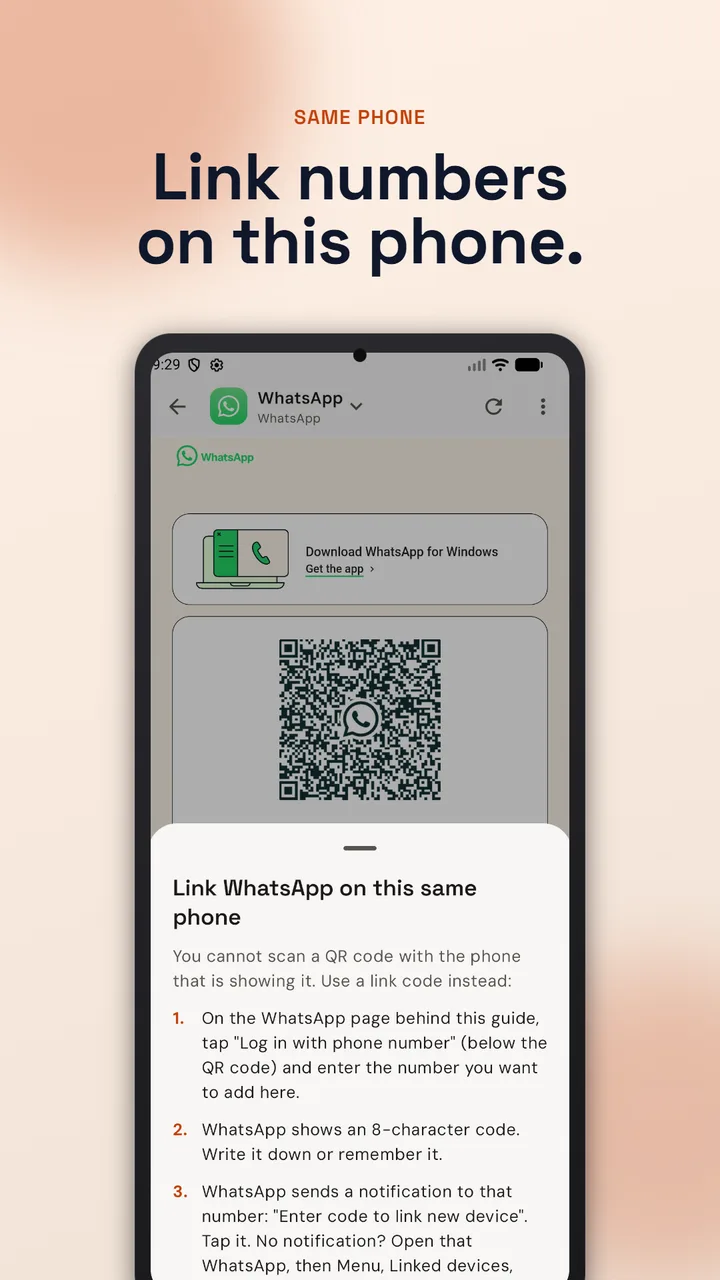
- A number on this phone links with a code. A number on another phone links with a QR scan.
- You can add a third and a fourth number in the same way.
Dual WhatsApp app for Android: what StaffPeek does
StaffPeek works as a dual WhatsApp app for Android phones that run Android 8.0 or later. It does not install a second copy of WhatsApp. It opens WhatsApp Web for each number in an isolated session and links that session to the number as a linked device. A shop owner can keep a personal number, a WhatsApp Business number and a support number open on one phone and move between them in a tap. A built-in guide explains the link code for a number that lives on the same phone, because a phone cannot scan its own QR code. WhatsApp allows up to 4 linked devices for each number, and the main phone of that number must come online at least once every 14 days. Two numbers work in StaffPeek with no sign-up. Chats stay between your phone and WhatsApp, and StaffPeek does not read them.
Dual WhatsApp app benefits
Two numbers, one phone
Answer the shop number and your own number from the same handset.
Official WhatsApp stays untouched
StaffPeek uses linked devices. It does not ask you to install a changed WhatsApp.
Numbers from other phones
Open a staff or shop number that lives on a different phone by scanning its QR code.
More than two
Add a third or fourth WhatsApp number when the business grows.
Chats kept apart
Every number has its own session, so chats and contacts do not mix.
Dual WhatsApp app setup: link a number on this phone
Warning: the number must already have WhatsApp set up on a phone. StaffPeek links to it and does not register it.
Add a WhatsApp account
In StaffPeek, tap Add account and choose WhatsApp or WhatsApp Business.
Enter the number
On the WhatsApp page, tap Log in with phone number and enter the number to add.
Note the code
WhatsApp shows an 8-character code. Write the code down.
Open the notification
WhatsApp sends Enter code to link new device to that number. Tap the notification.
Type the code
Type the 8-character code in WhatsApp and confirm.
Return to StaffPeek
Go back to StaffPeek. The chats load in a few seconds and the number stays signed in.
Dual WhatsApp app screenshots
Real screens from StaffPeek for Android with WhatsApp numbers added.
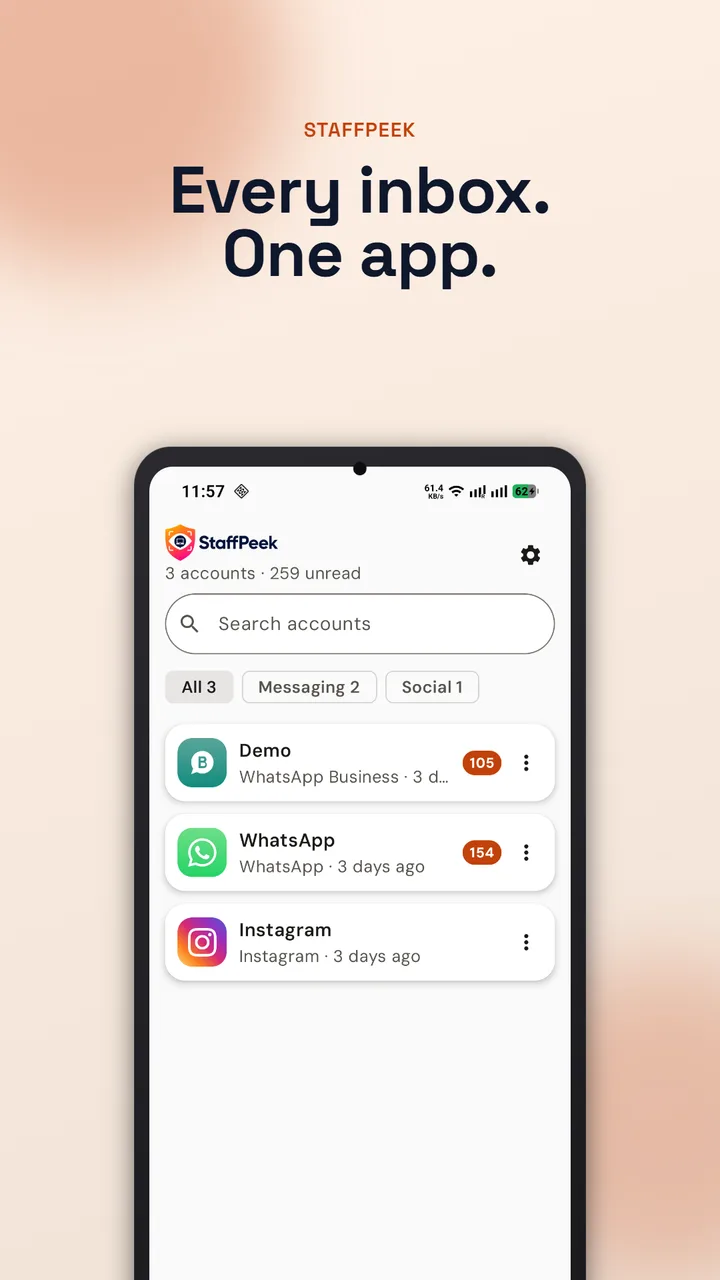
Two WhatsApp numbers in one list, each with its unread count. 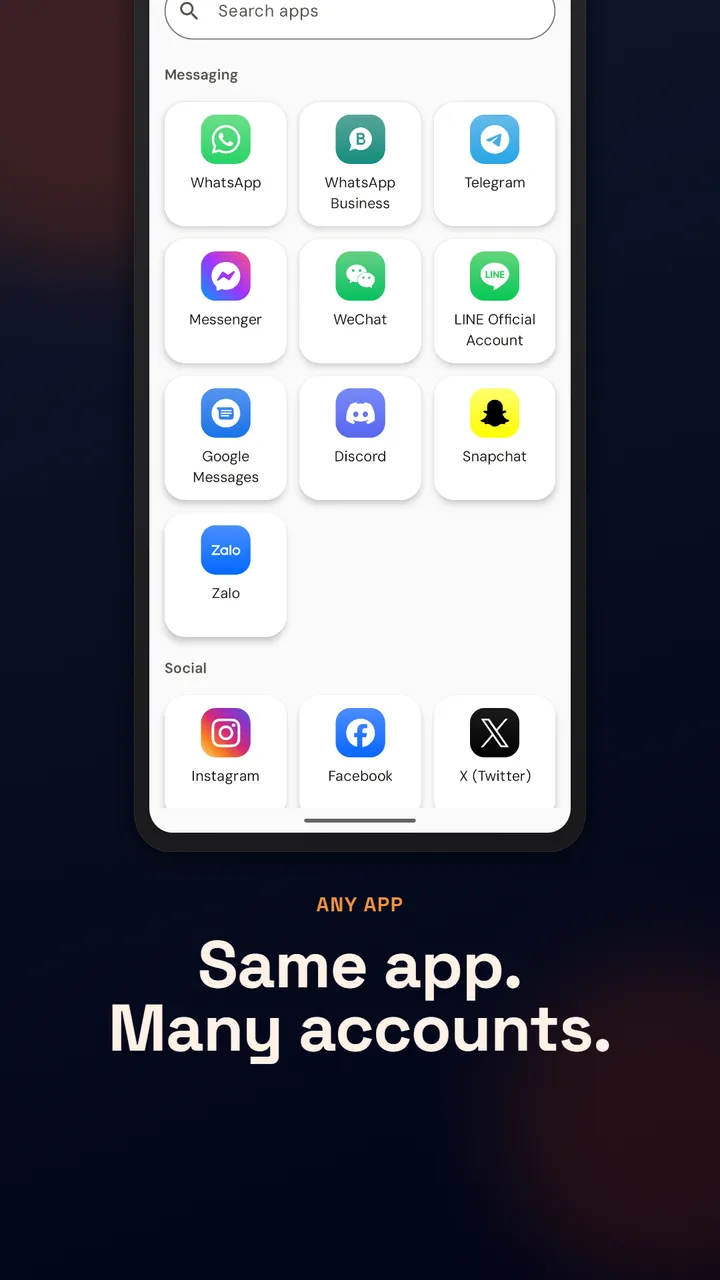
Choose WhatsApp or WhatsApp Business for each number. 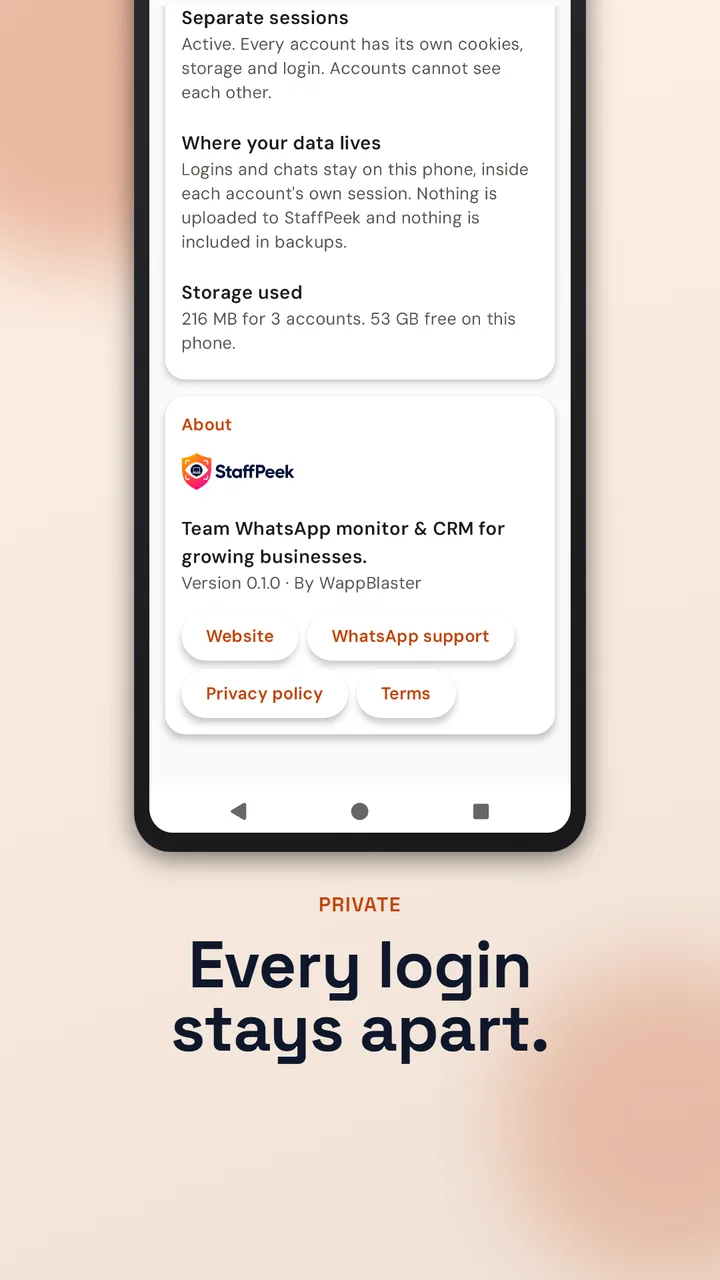
Each number runs in a separate session.
Dual WhatsApp app video: see the screens
Watch the account list and the link guide in 14 seconds. The video has no sound.
Dual WhatsApp app vs WhatsApp's own second account
WhatsApp for Android can hold a second account in its settings. This table shows when each way fits.
StaffPeek
- Numbers on one phone
- 2 with no sign-up, more with a plan
- Number must be registered on this phone
- No, it can live on another phone
- Both numbers visible at once
- Yes, one list with unread counts
- Uses the official WhatsApp
- Yes, as a linked device
- Features
- What WhatsApp Web offers
- Best for
- Shop, support and staff numbers that live on other phones, or 3 numbers and more
Second account inside WhatsApp
- Numbers on one phone
- 2
- Number must be registered on this phone
- Yes
- Both numbers visible at once
- No, you switch accounts
- Uses the official WhatsApp
- Yes
- Features
- All WhatsApp features
- Best for
- Two SIMs of your own in one phone
Cloned WhatsApp app
- Numbers on one phone
- 1 extra for each clone
- Number must be registered on this phone
- Yes
- Both numbers visible at once
- No, two app icons
- Uses the official WhatsApp
- A copy of the app
- Features
- All WhatsApp features
- Best for
- Phones where the two ways above do not work
Dual WhatsApp app limits: when WhatsApp alone is enough
Use the simplest tool that does the job. These points help you decide.
- If you have 2 SIMs of your own and need nothing more, add the second account in WhatsApp's own settings. You do not need another app.
- StaffPeek shows WhatsApp Web. Features that WhatsApp Web does not have are not available in StaffPeek.
- Each number needs WhatsApp on a main phone. That phone must come online at least once every 14 days or WhatsApp ends the link.
- WhatsApp allows up to 4 linked devices for each number. StaffPeek uses 1 of them.
- StaffPeek does not send bulk messages and does not automate replies.
Dual WhatsApp app example: owner and support number
This is an illustration, not a customer story. Arjun owns a mobile repair shop in Pune. The shop number sits on a counter phone that his staff use. His own number is on his phone. He adds the shop number to StaffPeek by scanning its QR code with the counter phone. At 9 pm he sees 12 unread chats on the shop number, answers 3 price questions from home, and leaves the rest for the morning shift.
Dual WhatsApp app price
Two WhatsApp numbers fit inside the 2 accounts that need no payment. A third number needs the Android plan at ₹1,500 + taxes per year. Add the desktop app for Windows and Mac and the price is ₹3,000 + taxes per year.
Dual WhatsApp app FAQ
Which is the best app for dual WhatsApp?
- For 2 SIMs of your own, WhatsApp's own second account is the simplest. For a number that lives on another phone, or for 3 numbers and more, StaffPeek is the better fit.
Which dual WhatsApp app opens a number that lives on another phone?
- StaffPeek does. Scan the QR code in StaffPeek with the phone that holds the number. The chats of that number then open on your own phone.
Is StaffPeek a dual WhatsApp app?
- Yes. StaffPeek is a dual WhatsApp app for Android that links each number as a WhatsApp linked device and shows all numbers in one list.
How much does a dual WhatsApp app cost with StaffPeek?
- Two WhatsApp numbers fit inside the 2 accounts that need no payment. A third number needs the Android plan at ₹1,500 + taxes per year. Add the desktop app for Windows and Mac and the price is ₹3,000 + taxes per year.
Can I have two WhatsApp apps?
- Yes. Many people use WhatsApp for one number and WhatsApp Business for the other. With StaffPeek you can also open both numbers, and others, in one list.
How to install dual WhatsApp?
- Get StaffPeek on Google Play. Add WhatsApp as an account and link the first number, then add WhatsApp once more for the second number.
Is dual WhatsApp safe?
- It depends on the method. A changed WhatsApp build from outside Google Play is a risk. StaffPeek uses linked devices, which is a standard WhatsApp feature, and does not change WhatsApp.
How do I add a 2nd number to WhatsApp?
- In WhatsApp, open Settings and add an account for your second SIM. To open a number that lives on another phone, add it to StaffPeek and scan its QR code.
How to create 3 WhatsApp in one phone?
- Add each of the 3 numbers to StaffPeek as its own WhatsApp account. The first 2 need no sign-up. The third needs a StaffPeek account and an active plan.
Can I link a number that is on this same phone?
- Yes. A phone cannot scan its own QR code, so StaffPeek shows a guide for the 8-character link code. You type the code in the WhatsApp of that number.
Does the second number work when its main phone is switched off?
- Yes, for some time. WhatsApp keeps linked devices connected, but the main phone of that number must come online at least once every 14 days.
Can I use two WhatsApp Business numbers in StaffPeek?
- Yes. Choose WhatsApp Business when you add each number. Each one gets its own session, name and unread count.
Can StaffPeek read my WhatsApp chats?
- No. Your phone talks to WhatsApp directly. StaffPeek does not receive, store or copy your messages, contacts or files.
Read next
- Multiple accounts appInstagram, Telegram, Gmail and more in the same list.
- Multiple WhatsApp accounts on desktopOpen many staff numbers on one Windows or Mac computer.
- Monitor multiple staff WhatsApp accountsHow a manager reviews staff chats on the desktop app.
StaffPeek is an independent app by WappBlaster. It is not affiliated with, endorsed by or sponsored by WhatsApp LLC, Meta, Telegram, Google or any other service it works with. All product names belong to their owners.