
WhatsApp CRM software
WhatsApp CRM Software Is StaffPeek, a Desktop CRM With No API Fees
WhatsApp CRM software is a tool that turns WhatsApp chats into tracked leads with stages and follow-up dates, so sales do not depend on anyone's memory. StaffPeek builds that record from the WhatsApp accounts your staff already use, on a Windows or Mac computer.
- Leads from every staff number
- Statuses, priorities, notes and reminders
- Scan-based: no API application
Updated 26 November 2026
What is WhatsApp CRM software?
It is software that records each WhatsApp contact as a lead, with a stage, an owner and a next follow-up date.
StaffPeek is WhatsApp CRM software for desktop that works on normal WhatsApp accounts by QR scan, without the Business API.
- Contacts are captured from chats automatically.
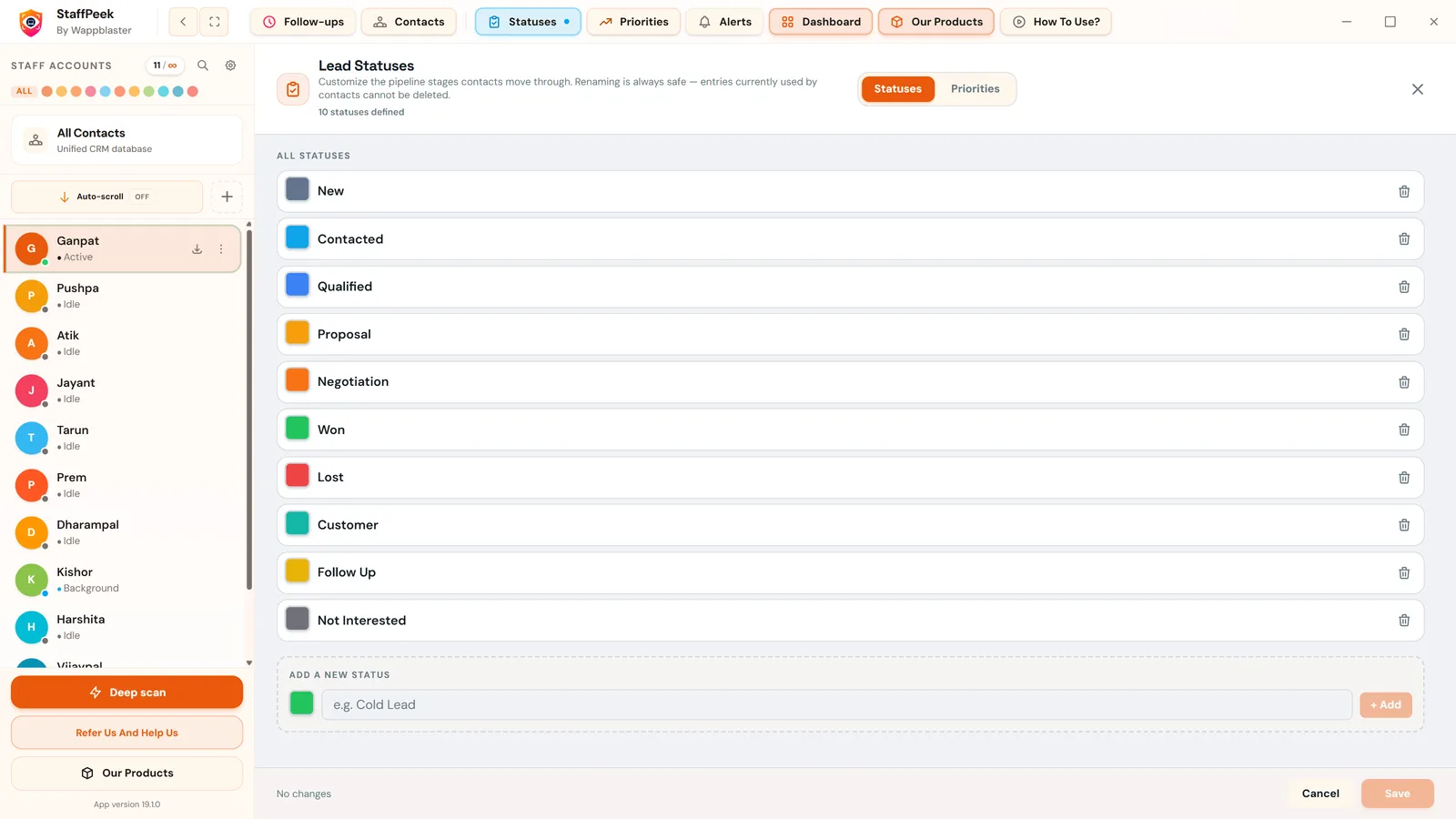
- Ten lead stages come ready and can be renamed.
- Data stays on your computer and exports to Excel.
WhatsApp CRM software: what StaffPeek records from each chat
Most WhatsApp CRM tools sit on the WhatsApp Business API: you move the number to a provider, wait for approval and pay per conversation. StaffPeek takes the other road. It links to the WhatsApp or WhatsApp Business accounts your team already uses, by QR scan, and reads their chats on one desktop. Each person who messages any staff number becomes a contact. You give the contact a status from ten ready stages (New, Contacted, Qualified, Proposal, Negotiation, Won, Lost, Customer, Follow Up, Not Interested), a priority, tags and notes, and a date for the next follow-up. An All Contacts view joins the contacts of every staff account into one database that you can search, filter and export to CSV or Excel. Because nothing goes through the API, there is no per-message cost, and the data sits on the manager's computer.
WhatsApp CRM software benefits
No lead left in a phone
Contacts from every staff number land in one database.
Clear pipeline
Stages show how many leads sit at Proposal or Negotiation today.
Follow-ups on time
Due and overdue follow-ups are listed and raise a desktop alert.
No API bill
A flat yearly licence, with no charge per conversation.
Your data, your PC
Contacts are stored locally and export when you need them.
WhatsApp CRM software setup in StaffPeek
Start with one sales number, then add the rest of the team.
Link the sales numbers
Add each staff WhatsApp account by scanning its QR code.
Review the stages
Open Statuses and rename the ten stages to match your sales steps.
Mark your leads
Open a chat and set its status, priority and a short note.
Set the next step
Pick a follow-up date. The lead appears under Follow-ups on that day.
Check the pipeline daily
Open All Contacts each morning and filter by status or by overdue follow-up.
WhatsApp CRM software screenshots
The CRM screens of the StaffPeek desktop app.
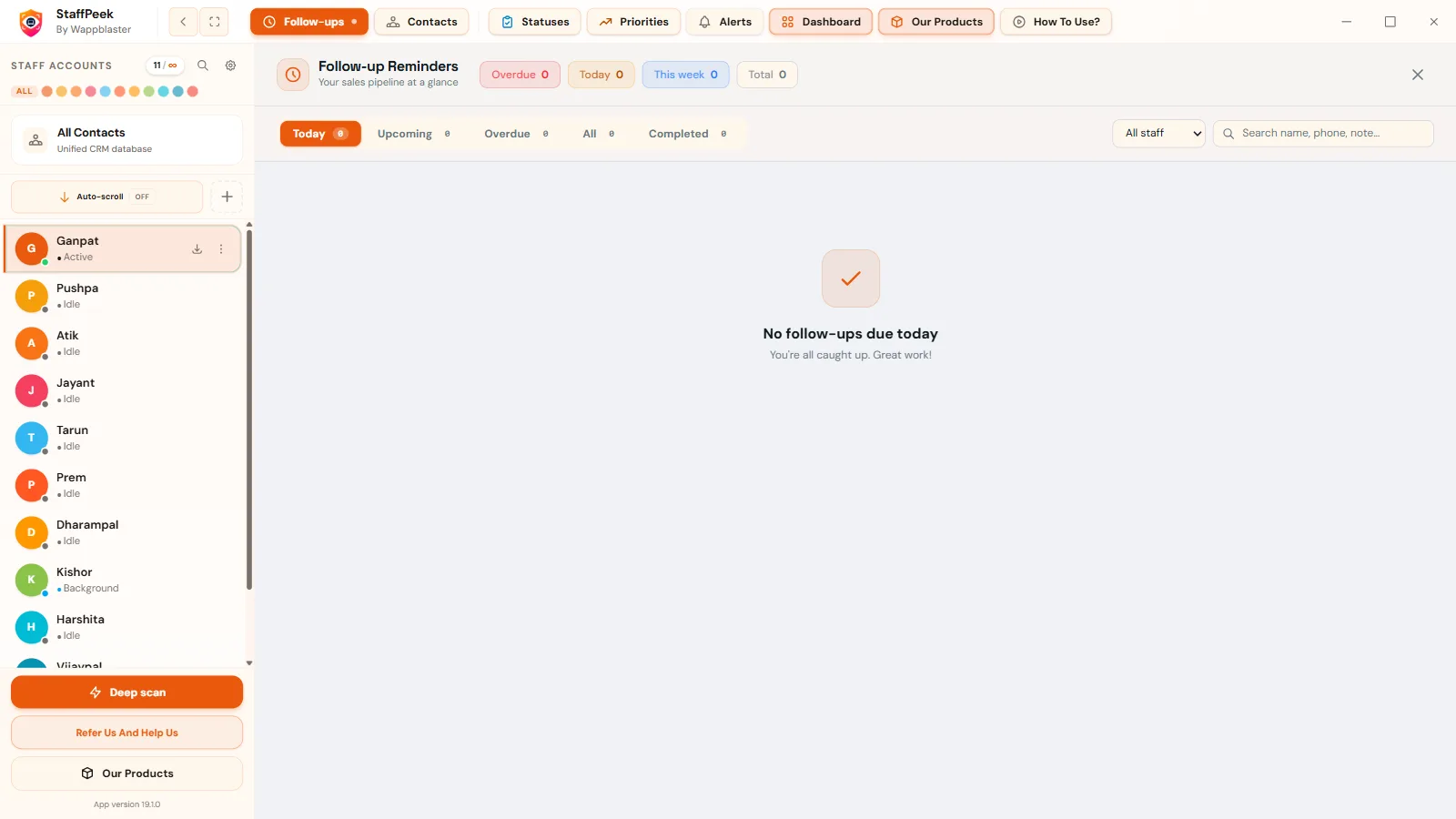
Follow-ups sorted into Today, Upcoming, Overdue and Completed. 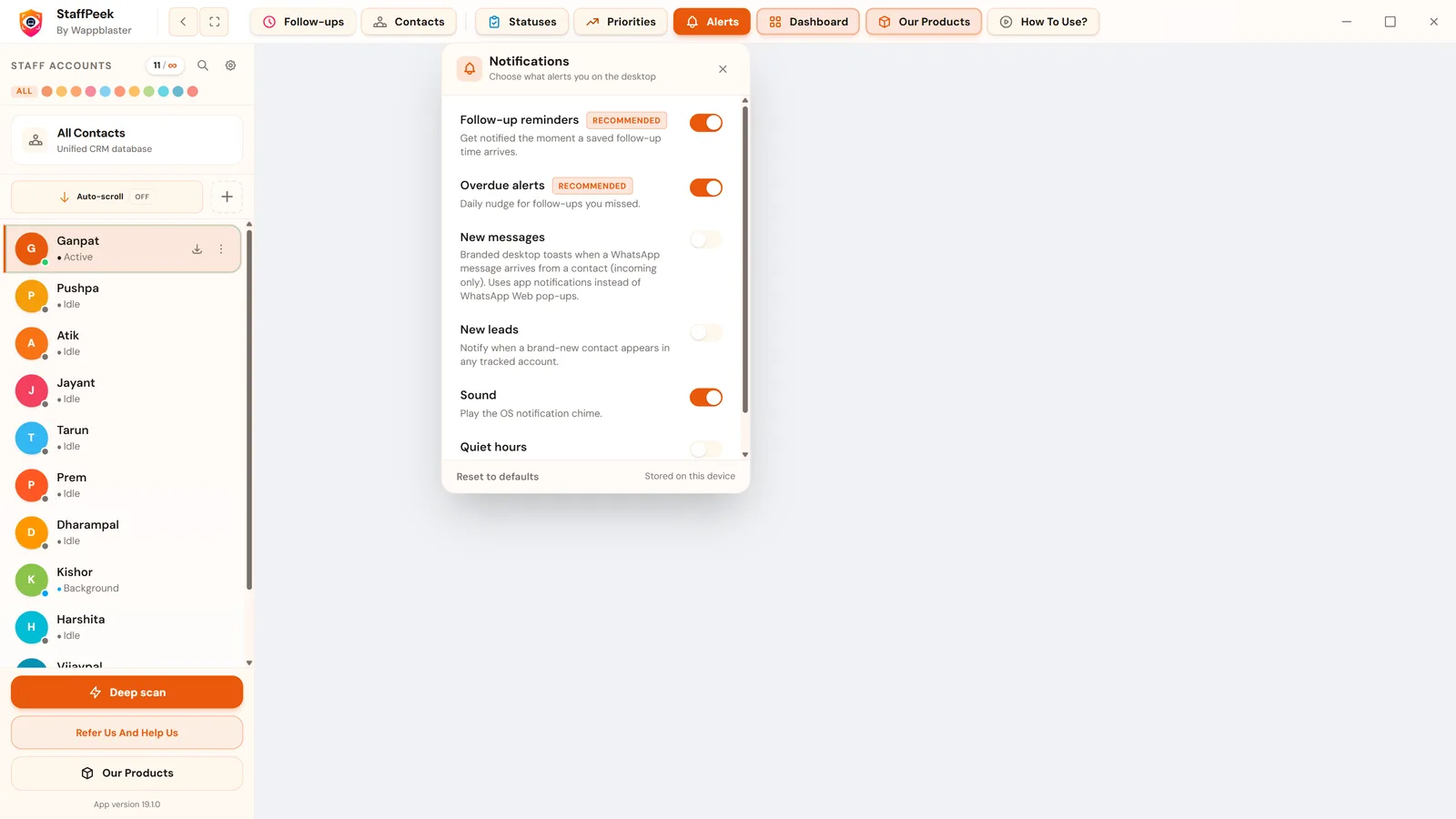
A reminder fires when a saved follow-up time arrives.
WhatsApp CRM software: scan-based vs API-based vs a spreadsheet
Three ways businesses track WhatsApp leads.
StaffPeek (scan-based)
- Works with staff's current numbers
- Yes
- Leads captured automatically
- Yes
- Message fees
- None
- Bulk campaigns and chatbots
- No
- Where data lives
- On your computer
- Best for
- Sales teams on personal or business numbers
API-based WhatsApp CRM
- Works with staff's current numbers
- Number moves to the API
- Leads captured automatically
- Yes
- Message fees
- Per conversation
- Bulk campaigns and chatbots
- Yes
- Where data lives
- In the provider's cloud
- Best for
- Marketing at scale
Spreadsheet
- Works with staff's current numbers
- Yes, by hand
- Leads captured automatically
- No
- Message fees
- None
- Bulk campaigns and chatbots
- No
- Where data lives
- In the file
- Best for
- One person with few leads
WhatsApp CRM software limits
StaffPeek is a CRM for conversations your team already has. It is not a marketing platform.
- It does not send bulk messages, drip campaigns or chatbot replies. Use an API-based tool for those.
- The CRM lives in the desktop app. There is no web login for staff to open from anywhere.
- Lead data is stored on the licensed computer, so back up that computer.
- It does not connect to other CRMs out of the box; export to CSV or Excel to move data.
- Reminders alert your staff. They do not send a message to the customer.
WhatsApp CRM software example: a solar installer
This is an illustration, not a customer story. Imagine a solar installer in Nagpur with 4 sales reps who quote on WhatsApp. The manager links their 4 numbers to StaffPeek. In the first week the All Contacts view shows 130 leads; 22 are at Proposal with no follow-up date. He sets dates on all 22, and by Friday 6 of them move to Won.
WhatsApp CRM software price
The StaffPeek CRM is part of the desktop licence: ₹2,200 + taxes per PC for one year in India and $30 + taxes abroad. There is no per-user, per-lead or per-message fee. A bundle with the Android app is ₹3,200 + taxes a year.
WhatsApp CRM software FAQ
Which WhatsApp CRM software works without the WhatsApp Business API?
- StaffPeek does. It links staff accounts by QR scan and builds the CRM from their chats, with no API application or message fees.
Is StaffPeek a WhatsApp CRM software?
- Yes. StaffPeek is WhatsApp CRM software for Windows and Mac that records leads, statuses, notes and follow-ups from staff WhatsApp accounts.
What is the WhatsApp CRM software price with StaffPeek?
- The CRM costs nothing extra. It comes inside the desktop licence, which is ₹2,200 yearly per computer in India and $30 yearly abroad, plus taxes.
How can I manage leads using WhatsApp?
- Give every chat a stage and a next follow-up date, and review the list daily. StaffPeek adds those fields to each WhatsApp contact.
Which CRM software is best for WhatsApp sales teams?
- For bulk campaigns and chatbots, pick an API-based CRM. For tracking the chats your staff already have, a scan-based CRM such as StaffPeek costs less.
Is there a WhatsApp CRM extension, and how is StaffPeek different?
- Browser extensions add CRM fields to one WhatsApp Web tab. StaffPeek is a desktop app that covers every staff number in one database.
Can I export my WhatsApp leads?
- Yes. Contacts export to CSV or Excel from the desktop app.
Can I rename the lead stages?
- Yes. Open Statuses, then rename, reorder or add stages. A stage that contacts still use cannot be deleted.
Does the CRM send follow-up messages to customers?
- No. It reminds your staff that a follow-up is due. A person writes and sends the message.
Where is my lead data kept?
- On the licensed computer. StaffPeek servers hold your account and licence details, not your contacts or chats.
Can two managers use the same CRM data?
- Each licensed PC keeps its own data. Share by exporting, or run StaffPeek on one office computer that both use.
Read next
- WhatsApp CRM follow-up guideArticles on follow-up routines.
- Chat monitoring for sales teamsSee which rep replied, and when.
- PricingDesktop, Android and bundle prices.
StaffPeek is an independent app by WappBlaster. It is not affiliated with, endorsed by or sponsored by WhatsApp LLC, Meta, Telegram, Google or any other service it works with. All product names belong to their owners.