
WhatsApp Web on Android phone
WhatsApp Web on Android Phone Is StaffPeek, Mobile to Mobile
Using WhatsApp Web on Android phone screens means running the browser version of WhatsApp on a mobile, so one phone can read and answer chats of a number that lives on another phone. StaffPeek opens WhatsApp Web in a phone-sized window, with no need to force Chrome into desktop mode.
- Mobile to mobile linking
- Sized for a phone screen
- A code guide when both are one phone
Updated 25 November 2026
What is WhatsApp Web on Android phone, and can I use it?
It is the browser version of WhatsApp opened on a mobile. Yes, it works once the full page loads and the number is linked to it.
StaffPeek loads that page for you and fits it to the phone, then keeps the link signed in.
- The second phone becomes a linked device of the first phone's number.
- Scan the QR code from the phone that has the number.
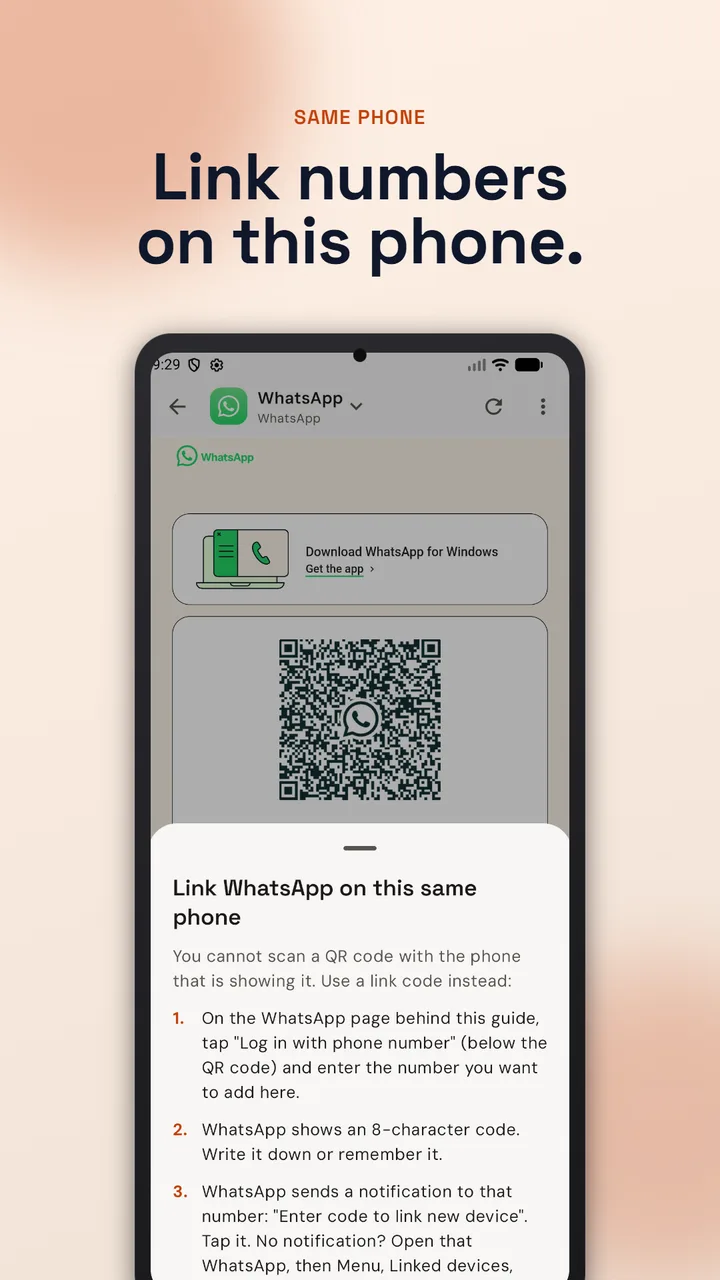
- No QR scan is possible on the same phone, so a link code is used there.
WhatsApp Web on Android phone: how StaffPeek opens it
Chrome on Android shows WhatsApp's download page instead of WhatsApp Web, so people search for tricks such as Desktop site mode, which leaves tiny text and a login that ends when the tab closes. StaffPeek is an Android app that opens WhatsApp Web the right way for a phone. You tap Add account, choose WhatsApp, and the QR page appears. The phone that owns the number scans that code under Linked devices, and the chats load on your Android in a few seconds. The session stays signed in after you close the app, and each linked number lives in its own private storage. For a number on the very same phone, StaffPeek shows a step guide for WhatsApp's 8-character link code, because a phone cannot scan its own screen.
WhatsApp Web on Android phone benefits
No desktop-mode tricks
The page opens ready to use, without zooming in on a squashed desktop layout.
Stays signed in
Close StaffPeek and come back later: the chats are still there.
Mobile to mobile
Read a second phone's chats on your own phone, for example a shop phone at home.
More than one number
Link several numbers and switch between them from one list.
Attachments work
The keyboard stays out of the way when you attach photos or files.
WhatsApp Web on Android phone: link mobile to mobile
You need two phones for this method: the one with the number, and the Android phone with StaffPeek.
Open the QR page
On the Android phone, open StaffPeek, tap Add account and choose WhatsApp.
Open linked devices
On the phone with the number, open WhatsApp, tap the menu and choose Linked devices.
Start the link
Tap Link a device. Unlock the phone if WhatsApp asks.
Scan
Point that phone's camera at the QR code on the Android phone.
Wait for the chats
Keep both phones online until the chat list appears in StaffPeek.
WhatsApp Web on Android phone screenshots
What the linked number looks like after setup.
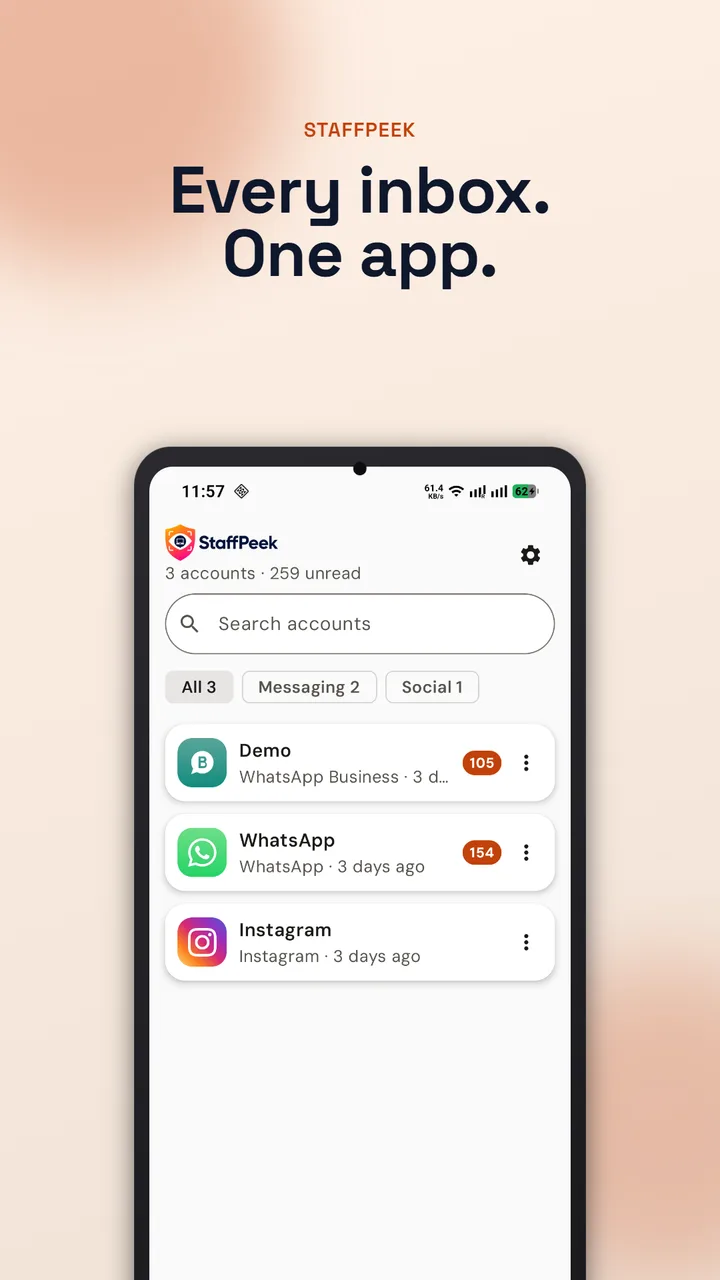
After linking, the number shows in the list like any other account. 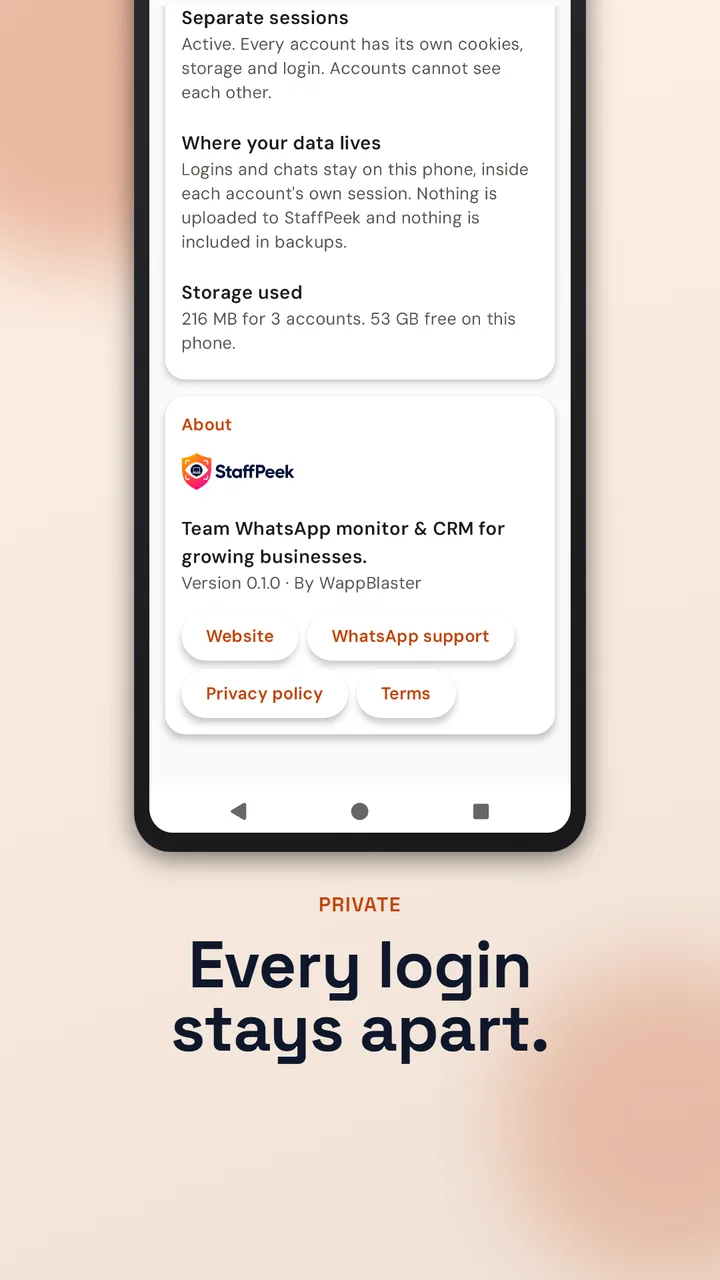
Settings shows how much space each linked session takes.
WhatsApp Web on Android phone: Chrome desktop mode vs StaffPeek
Two common ways to open WhatsApp Web on a mobile.
StaffPeek
- Page fits the phone screen
- Yes
- Login after closing
- Stays signed in
- Several numbers
- Each in its own session
- New message alerts
- Yes, with Keep accounts connected
- Best for
- Daily use of a second number
Chrome with Desktop site
- Page fits the phone screen
- No, text is small and needs zoom
- Login after closing
- Often lost when the tab or browser data clears
- Several numbers
- One per browser profile
- New message alerts
- Only while the tab is open
- Best for
- A one-time look at chats
WhatsApp Web on Android phone limits
WhatsApp Web has fixed rules, and they apply inside StaffPeek too.
- WhatsApp registers numbers, StaffPeek does not. Set the number up in WhatsApp on its own phone before you link it.
- WhatsApp Web does not offer every feature of the phone app, and StaffPeek cannot add missing ones.
- If the phone that owns the number is offline for two weeks in a row, WhatsApp ends the link.
- Each number allows 4 linked devices. A computer you already linked counts toward that limit.
- StaffPeek needs an internet connection; it does not store chats for offline reading.
WhatsApp Web on Android phone example: a parent and a school phone
This is an illustration, not a customer story. Sunita runs a small tuition centre in Lucknow. The centre's WhatsApp number lives on an old phone that stays in the classroom. She links it to StaffPeek on her own Android phone. At 8 pm a parent asks about Saturday's class; she replies from home, and the message also shows on the classroom phone next morning.
WhatsApp Web on Android phone price
Opening WhatsApp Web for up to two numbers in StaffPeek costs nothing. Linking a third number starts a yearly Android subscription of ₹1,500 before taxes. With the Windows and Mac team monitor included, the yearly amount becomes ₹3,000 before taxes.
WhatsApp Web on Android phone FAQ
Which app opens WhatsApp Web on Android phone screens?
- StaffPeek opens WhatsApp Web inside an Android app sized for a phone, and keeps the number signed in.
What is StaffPeek in simple words?
- StaffPeek is a WhatsApp Web on Android phone app: it lets one phone link to another phone's WhatsApp number and use its chats.
How much does WhatsApp Web on Android phone cost with StaffPeek?
- Up to 2 linked numbers carry no fee. Larger setups are billed once a year: ₹1,500 for Android alone or ₹3,000 for Android plus desktop, with taxes added.
What is the difference between WhatsApp and WhatsApp Web?
- WhatsApp is the phone app that owns the number. WhatsApp Web is a browser version linked to that number as an extra device.
What is the best app for WhatsApp Web on Android?
- Choose an app that fits the page to the phone, keeps the login and supports several numbers. StaffPeek does all three.
How do I scan the WhatsApp Web QR code on my mobile device?
- On the phone that has the number, open WhatsApp, go to Linked devices, tap Link a device and scan the code shown on the other phone.
How to open WhatsApp Web in mobile without a QR code?
- Tap Log in with phone number on the QR page. WhatsApp gives an 8-character code that you type on the phone that has the number.
Can I use WhatsApp Web mobile to mobile?
- Yes. Open StaffPeek on the second phone and scan its QR code from the first phone under Linked devices.
Why does Chrome on Android not open WhatsApp Web?
- WhatsApp sends phone browsers to its download page. Desktop site mode gets past it, but the page is tiny and the login does not last.
Will the first phone see the messages I send from StaffPeek?
- Yes. Every message you send from StaffPeek also shows on the first phone, because both devices read one shared chat history.
Can I get notifications for WhatsApp Web on my phone?
- Turn on Keep accounts connected in StaffPeek Settings. Recently used numbers then stay online and alert you to new messages.
Is WhatsApp Web on a phone safe?
- It uses WhatsApp's own linked-devices feature, and you can remove the link any time from the main phone. StaffPeek does not read your chats.
Read next
- Link with phone numberThe code method for one phone.
- Dual WhatsApp appKeep two numbers on one phone.
- Multiple accounts appAdd Telegram, Instagram and mail too.
StaffPeek is an independent app by WappBlaster. It is not affiliated with, endorsed by or sponsored by WhatsApp LLC, Meta, Telegram, Google or any other service it works with. All product names belong to their owners.