
All in one messenger app
All in One Messenger App for Android Is StaffPeek, Chat and Mail Together
An all in one messenger app is a single phone app that gathers your chat, social and mail inboxes, so you stop opening six apps to check messages. StaffPeek puts each inbox in one searchable Android list and shows how many messages wait in every account.
- Chat, social, mail and work apps
- Unread badge on every account
- Search and type filters
Updated 25 November 2026
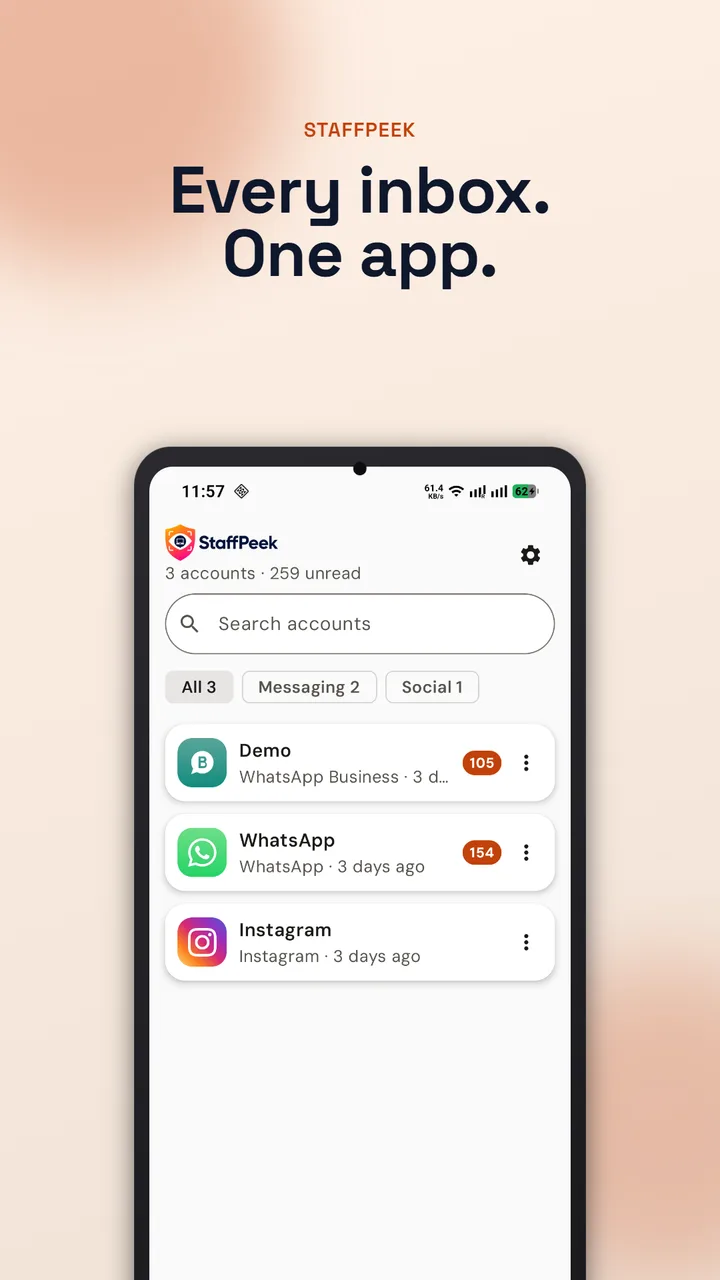
What is an all in one messenger app?
It is an app that opens many messaging services from one place, so a single screen shows where new messages are waiting.
StaffPeek is built that way on Android and treats every login as its own account, even two logins of one service.
- Messaging, social, mail and work services sit in one list.
- Filter chips narrow the list to one type in a tap.
- Each inbox opens full screen, with a back arrow to the list.
All in one messenger app for Android: what StaffPeek gathers
StaffPeek is an all in one messenger app for Android by WappBlaster. Its add screen groups 27 services into four sets: messaging (WhatsApp, WhatsApp Business, Telegram, Messenger, WeChat, LINE Official Account, Google Messages, Discord, Snapchat, Zalo), social (Instagram, Facebook, X, LinkedIn, Threads, TikTok, Reddit, Pinterest, VK), mail (Gmail, Outlook, Yahoo Mail, Proton Mail, Zoho Mail) and work (Slack, Microsoft Teams, Google Chat). A Custom website option adds any other service that has a web login. The home screen sorts accounts so the ones with unread messages come first, and the header shows the total unread count across every inbox. Each account runs the service's web version in a private session. Two accounts work before any sign-up, and the app runs on Android 8.0 and newer.
All in one messenger app benefits
Fewer apps on the phone
Chat, social and mail inboxes live inside one app instead of a dozen icons.
Total unread count
The header adds up unread messages from every inbox, so you see the workload at a glance.
Unread accounts first
Accounts with waiting messages move to the top of the list.
Filter by type
Tap Messaging, Social or another chip to hide everything else.
Any web login
A service that is not listed can still be added by its web address.
All in one messenger app setup: build your list
Add your busiest inbox first. You can add the others later, one at a time.
Install the app
Get StaffPeek from Google Play and open it.
Pick a service
Tap Add account and choose a service from the grid, or search for it by name.
Label it
Type a short label, such as Shop chat or Work mail, so the list stays clear.
Log in once
Log in on the service page that opens. The login is kept for next time.
Repeat for each inbox
Add the rest of your chat, social and mail accounts the same way.
All in one messenger app screenshots
Real screens of the list, the service grid and the privacy settings.
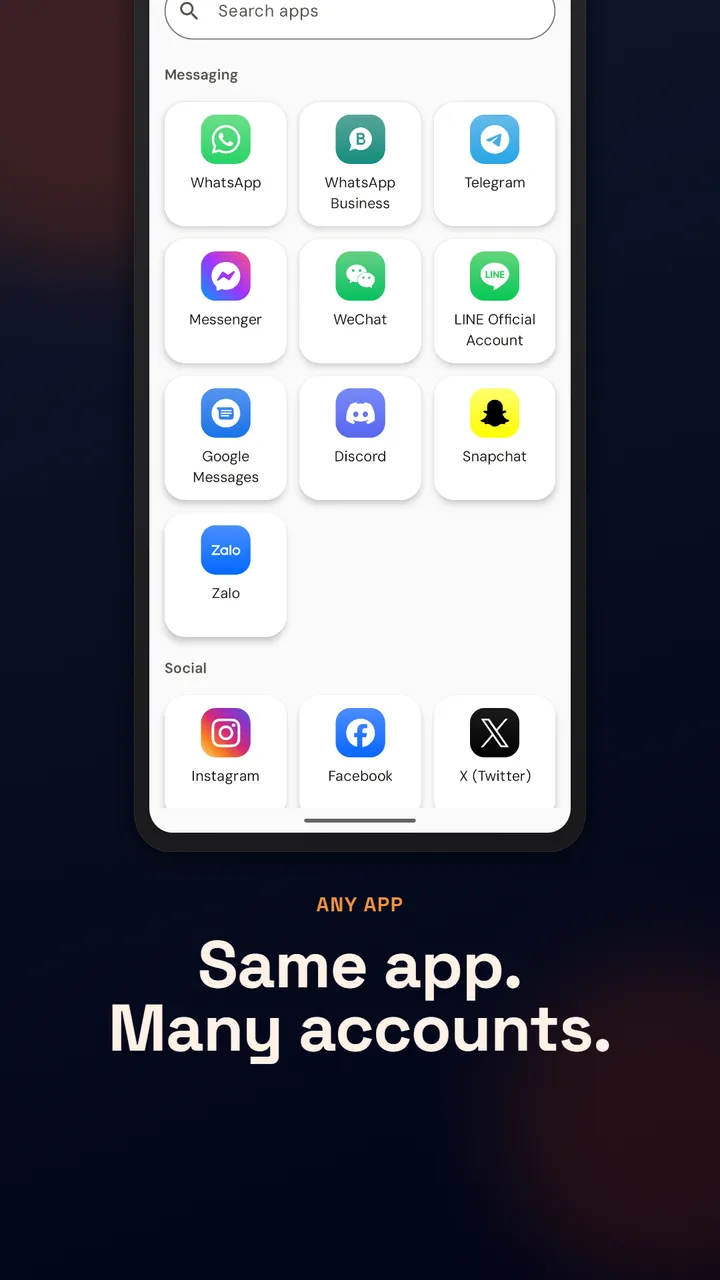
Messaging services sit at the top of the grid; social and mail follow. 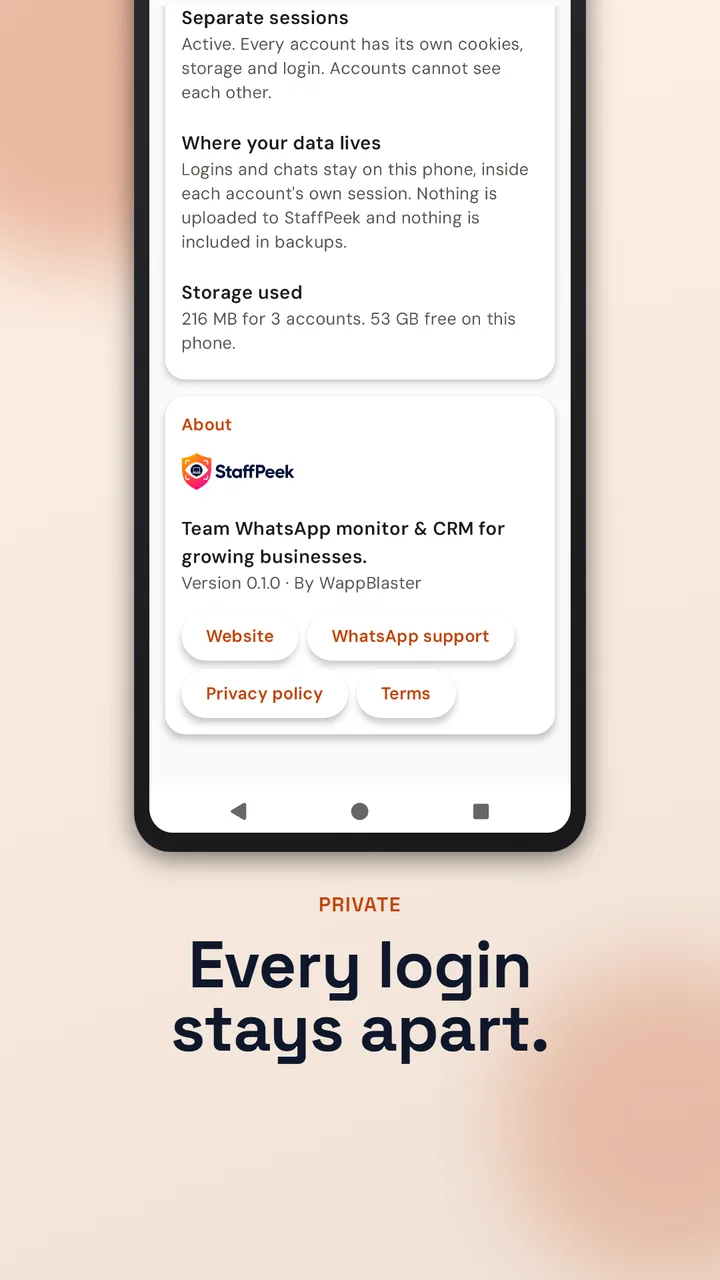
Where your data lives: on the phone, one session per account.
All in one messenger app vs separate apps
What changes when every inbox moves into one app.
StaffPeek
- Apps to open each morning
- 1
- Unread total across inboxes
- Shown in the header
- Two accounts of one service
- Add the service twice
- Feature set
- The service's web version
- Storage
- 50 to 300 MB per account
- Best for
- People who check many inboxes many times a day
Each service's own app
- Apps to open each morning
- One per service
- Unread total across inboxes
- Not available
- Two accounts of one service
- Depends on the service
- Feature set
- The full app
- Storage
- Each app's own size and cache
- Best for
- People who use one or two services heavily
All in one messenger app limits
One app for every inbox has trade-offs. Check these before you move everything over.
- Each inbox is the service's web version. If a service keeps a feature for its own app, StaffPeek cannot show it.
- Calls depend on the service's web version and on the camera and microphone permission you give.
- Background alerts come only from your most recently used accounts, and only when Keep accounts connected is on.
- Twenty inboxes can use several gigabytes of storage, so check free space first.
- StaffPeek is for Android only. There is no iPhone version.
All in one messenger app example: a freelance designer
This is an illustration, not a customer story. Kavya, a freelance designer in Bengaluru, talks to clients on WhatsApp, Instagram DMs and LinkedIn and sends files by Gmail. Her phone had 4 apps and 4 badge counts. She adds the 4 accounts to StaffPeek and labels them by purpose. At 10 am the header says 23 unread; Instagram sits on top with 15, so she answers those first.
All in one messenger app price
Two inboxes cost nothing and need no sign-up. A third inbox and every one after it come with the Android plan, ₹1,500 + taxes per year. Buyers who also want the Windows or Mac app pay ₹3,000 + taxes per year for both.
All in one messenger app FAQ
Which all in one messenger app holds WhatsApp, Telegram and Gmail together?
- StaffPeek for Android holds all three, plus 24 more services, in one list with a separate session for each account.
Is StaffPeek an all in one messenger app?
- Yes. StaffPeek is an all in one messenger app for Android that shows chat, social, mail and work inboxes on one screen with their unread counts.
What does an all in one messenger app cost with StaffPeek?
- Your first two inboxes have no charge. From inbox three you pay ₹1,500 plus taxes for twelve months of Android use, and a combined Android and desktop licence is ₹3,000 plus taxes.
What is the best all in one messaging app for Android?
- Pick one that supports the services you actually use and keeps each login apart. StaffPeek covers 27 services and lets you add any other service by its web address.
Can an all in one messenger app hold two accounts of the same service?
- StaffPeek can. Each login is its own account, so two WhatsApp numbers or two Gmail addresses show as two separate rows.
Does StaffPeek show the total number of unread messages?
- Yes. The header line shows how many accounts you have and the unread total across all of them.
Can I add a messenger that is not in the StaffPeek list?
- Use Custom website at the bottom of the add screen. Type the service's web address and log in as usual.
Is there an all in one messenger for PC from StaffPeek?
- StaffPeek's computer app (Windows and Mac) focuses on staff WhatsApp accounts and a follow-up CRM. Holding every service in one list is the Android app's job.
Do I still need the original apps after moving to StaffPeek?
- WhatsApp numbers still need WhatsApp on a main phone, because StaffPeek links as an extra device. Most other services work without their own app on the phone.
Will an all in one messenger slow my phone down?
- StaffPeek keeps only recent accounts running and lets the others rest until you open them. Settings shows the storage each account uses.
Can I sort or filter my inboxes?
- Accounts with unread messages rise to the top. Filter chips show one type at a time, and the search box finds an account by name.
Are my chats uploaded to StaffPeek servers?
- No. Chats travel between your phone and each service. StaffPeek stores only your sign-in and plan details on its servers.
Read next
- Multiple accounts appTwo or more logins of one service on one phone.
- WhatsApp Web on AndroidOpen WhatsApp Web inside an Android app.
- Multiple Gmail accountsWork and personal mail side by side.
StaffPeek is an independent app by WappBlaster. It is not affiliated with, endorsed by or sponsored by WhatsApp LLC, Meta, Telegram, Google or any other service it works with. All product names belong to their owners.