
Multiple Gmail accounts app
Multiple Gmail Accounts App for Android Is StaffPeek, Mail Beside Chat
A multiple Gmail accounts app shows two or more Gmail inboxes on one phone, so work mail and personal mail do not need a switch every time. StaffPeek opens each Gmail address in a separate session and keeps it next to your chat accounts.
- Each address stays signed in
- Gmail, Outlook, Yahoo, Proton and Zoho
- Mail next to WhatsApp and Slack
Updated 25 November 2026
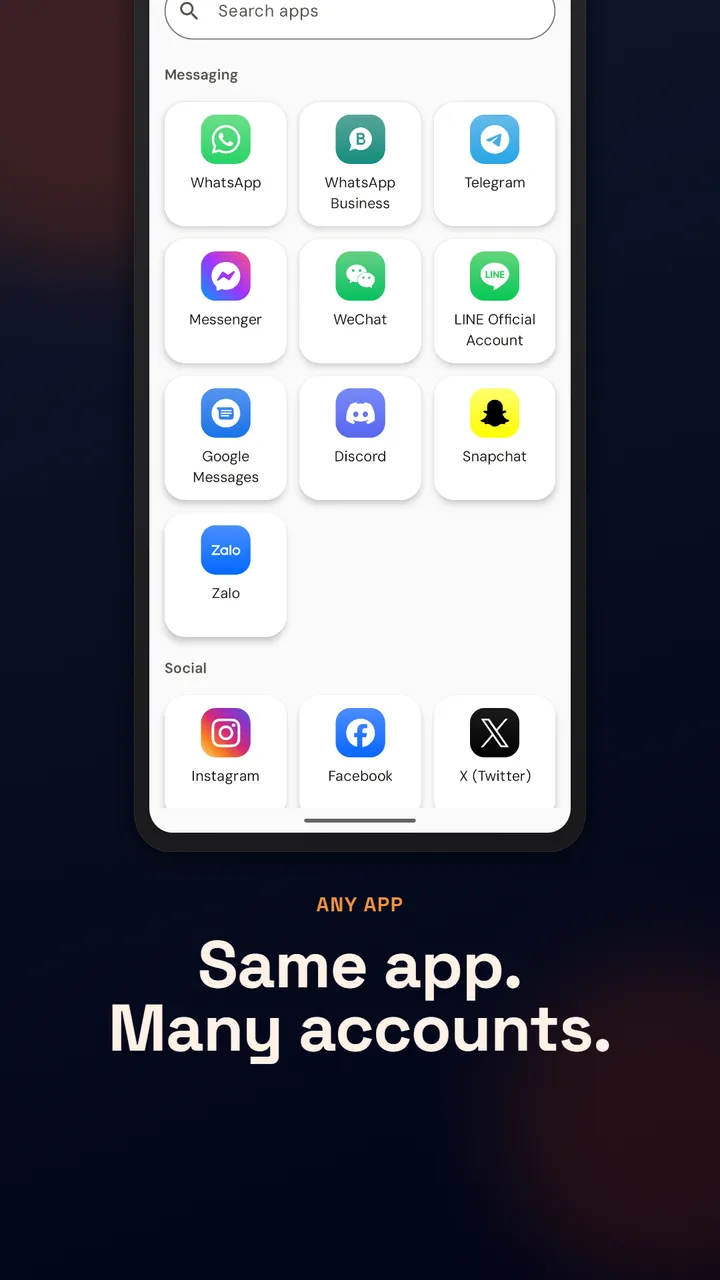
What is a multiple Gmail accounts app?
It is an app that shows two or more Gmail inboxes on one phone. Gmail's own app does this by switching from the profile picture.
StaffPeek takes a different approach: every address is its own row, open in its own session, beside your other inboxes.
- Good when mail is one inbox among many you check.
- Each Google sign-in is kept apart from the others.
- Other mail services sit in the same list.
Multiple Gmail accounts app for Android: where StaffPeek fits
Gmail's own app already switches between Google accounts, so StaffPeek is not trying to replace it for heavy email work. It fits people whose day runs across many inboxes: a sales lead who answers WhatsApp, Slack and two Gmail addresses, or a shop owner with an Outlook address for suppliers and a Gmail address for customers. In StaffPeek each address opens Gmail's mobile web inbox in a private session. The Mail group of the add screen also lists Outlook, Yahoo Mail, Proton Mail and Zoho Mail, and Custom website covers any other webmail. Signing out of one Gmail address does not affect another, because the sessions never share cookies. Files you download from a message go to the phone's Downloads folder.
Multiple Gmail accounts app benefits
Mail and chat in one place
Check the supplier's email and the supplier's WhatsApp from the same list.
Different providers together
Gmail, Outlook, Yahoo, Proton and Zoho addresses can sit side by side.
No Google account mixing
Each address lives in a session that knows only its own login.
Clear labels
Name inboxes by role, such as Billing or Personal.
Downloads saved
Attachments you save land in the phone's Downloads folder.
Multiple Gmail accounts app setup: add a second address
If two-step sign-in is on, keep the phone or app that approves it nearby.
Open the Mail group
Tap Add account and scroll to the Mail group.
Choose Gmail
Tap Gmail and give the address a label, such as Work.
Sign in
Enter the Gmail address and password on Google's page and approve any prompt.
Open the inbox
The Gmail inbox for that address opens; tap the back arrow to return to the list.
Add another
Repeat with Gmail or another mail service for each address.
Multiple Gmail accounts app screenshots
Screens from the account list and settings.
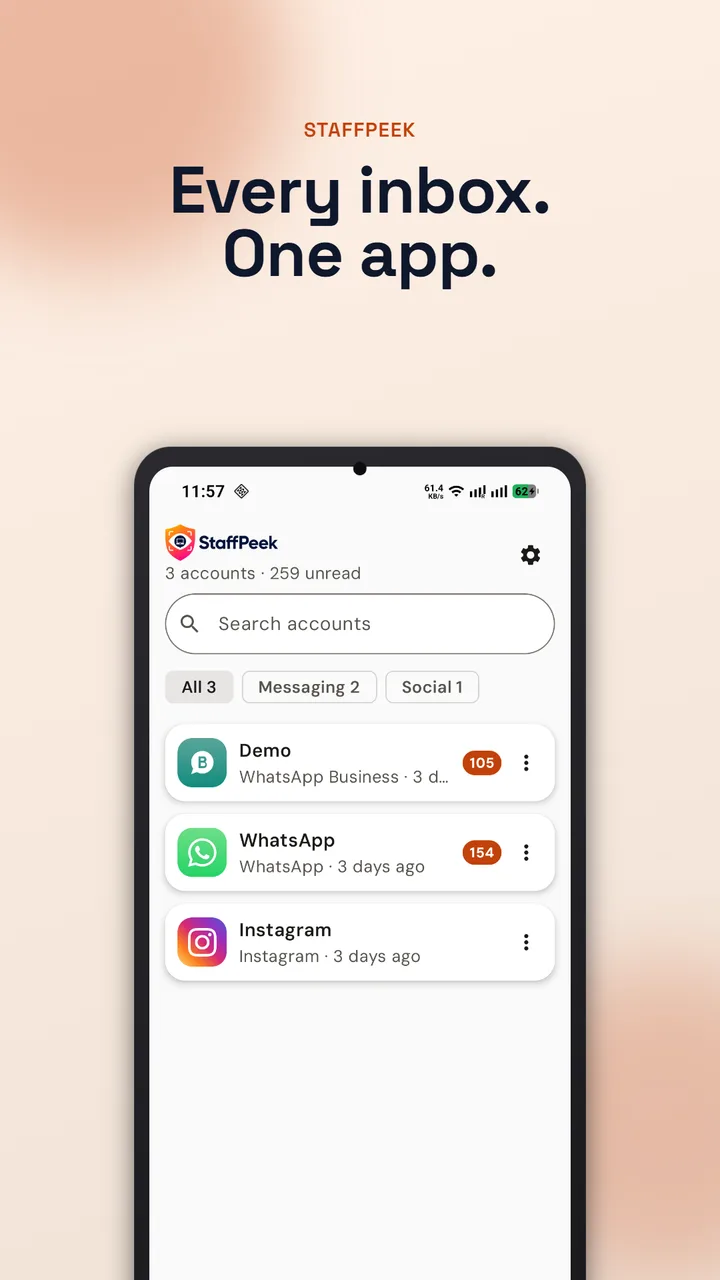
Search and filter chips find the right inbox fast. 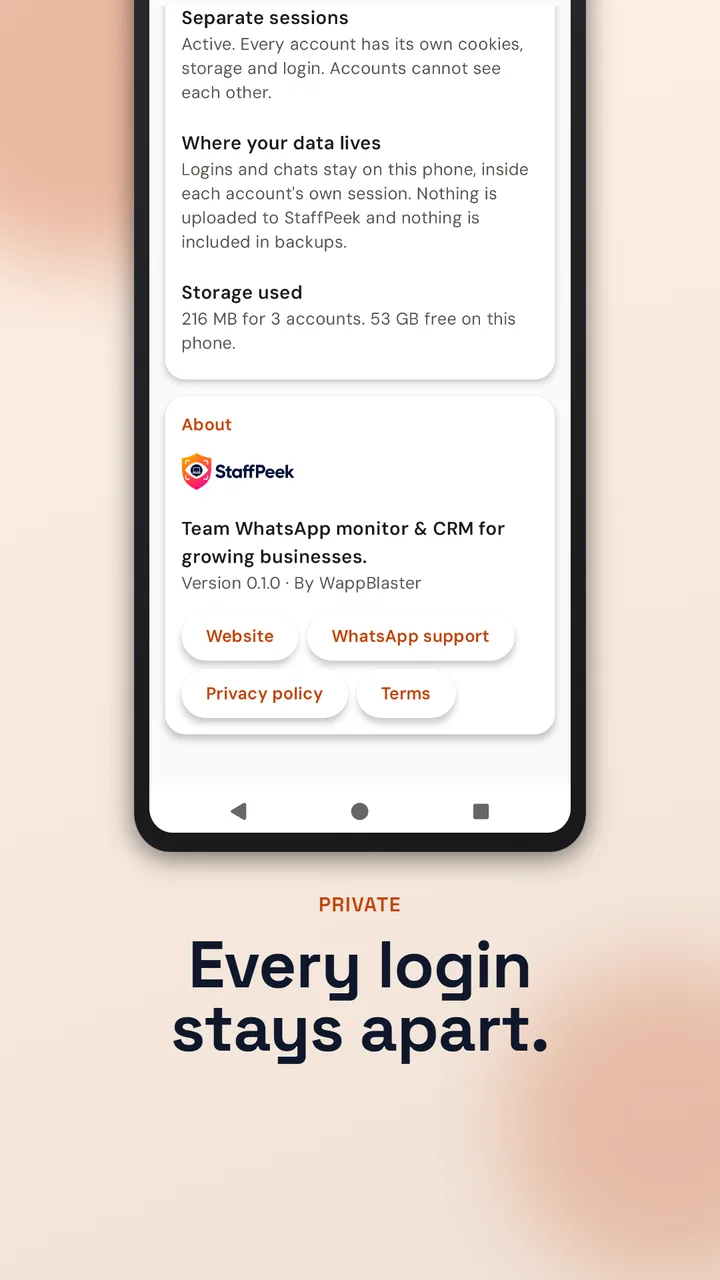
Settings explain where each login is stored.
Multiple Gmail accounts app vs the Gmail app
Which one suits the way you work.
StaffPeek
- Several Gmail addresses
- Yes, each in its own row
- Outlook, Yahoo, Proton, Zoho
- Their web inboxes, in the same list
- WhatsApp, Slack and Instagram beside mail
- Yes
- Offline mail and rich Gmail features
- Limited to Gmail's mobile web
- Best for
- People who juggle mail and chat
Gmail app
- Several Gmail addresses
- Yes, switch by profile picture
- Outlook, Yahoo, Proton, Zoho
- Some, through account settings
- WhatsApp, Slack and Instagram beside mail
- No
- Offline mail and rich Gmail features
- Full
- Best for
- People who live in email
Multiple Gmail accounts app limits
Read these before you move your mail into StaffPeek.
- Gmail's mobile web inbox has fewer features than the Gmail app, such as advanced offline mail.
- Google may ask for extra sign-in checks the first time each address logs in.
- Mail alerts arrive only from recent accounts when Keep accounts connected is on.
- StaffPeek does not merge inboxes into one unified mailbox; each address stays separate.
Multiple Gmail accounts app example: a shop with two mailboxes
This is an illustration, not a customer story. Farhan runs an electronics shop in Kochi. Online orders arrive at a shop Gmail address, and supplier invoices come to an Outlook address. Customers also message on WhatsApp. He adds the Gmail, the Outlook and the WhatsApp number to StaffPeek. Before opening at 9 am he clears all three from one list in about 15 minutes.
Multiple Gmail accounts app price
Your first 2 inboxes in StaffPeek, Gmail or any other, carry no charge. A third mailbox unlocks once you buy the Android year for ₹1,500 and taxes. The option at ₹3,000 and taxes includes the desktop team WhatsApp monitor too.
Multiple Gmail accounts app FAQ
Which multiple Gmail accounts app keeps mail next to WhatsApp?
- StaffPeek for Android shows each Gmail address as its own inbox in the same list as WhatsApp, Slack and Instagram.
Is StaffPeek a multiple Gmail accounts app?
- Yes. StaffPeek is a multiple Gmail accounts app that also supports Outlook, Yahoo Mail, Proton Mail and Zoho Mail on Android.
How much is a multiple Gmail accounts app with StaffPeek?
- Mail accounts one and two are not billed. Beyond them, Gmail users choose between ₹1,500 a year for Android and ₹3,000 a year for Android with desktop, and taxes are added to either.
Which app is best for multiple email accounts?
- For email only, the Gmail or Outlook app is strong. If you also check chat apps all day, StaffPeek puts mail and chat in one list.
How to create a second Gmail account on mobile?
- Open Google's sign-up page or the Gmail app, choose Create account and follow the steps. Then add the new address to StaffPeek.
Can I create 100 Gmail accounts?
- Google limits account creation and may block mass sign-ups. StaffPeek does not create accounts; it only opens ones you already have.
Do my Gmail addresses share a login inside StaffPeek?
- No. Each address runs in a separate session, so signing out of one never signs out another.
Can I add Outlook and Yahoo next to Gmail?
- Yes. All three are in the Mail group of the add screen, along with Proton Mail and Zoho Mail.
Will I get email notifications?
- With Keep accounts connected on, your most recently used inboxes stay online and can alert you to new mail.
Can I open attachments?
- Yes. Downloaded attachments are saved to the phone's Downloads folder, where any app can open them.
Does StaffPeek read my emails?
- No. Your phone talks to Google directly. StaffPeek does not receive, store or scan your messages.
Read next
- All in one messengerChat, social and mail together.
- Multiple accounts appHow separate sessions work.
- Multiple Telegram accountsSeveral Telegram logins on Android.
StaffPeek is an independent app by WappBlaster. It is not affiliated with, endorsed by or sponsored by WhatsApp LLC, Meta, Telegram, Google or any other service it works with. All product names belong to their owners.