
Dual messenger app
Dual Messenger App for Any Android Phone Is StaffPeek, Not Just Samsung
A dual messenger app runs a second login of a chat app on the same phone, so you stop needing a second handset for the second account. StaffPeek reaches the same result on every Android brand, version 8.0 and up, and goes past two when you need more.
- Any Android brand
- No cloned copy of the app
- Two, three or many logins
Updated 25 November 2026
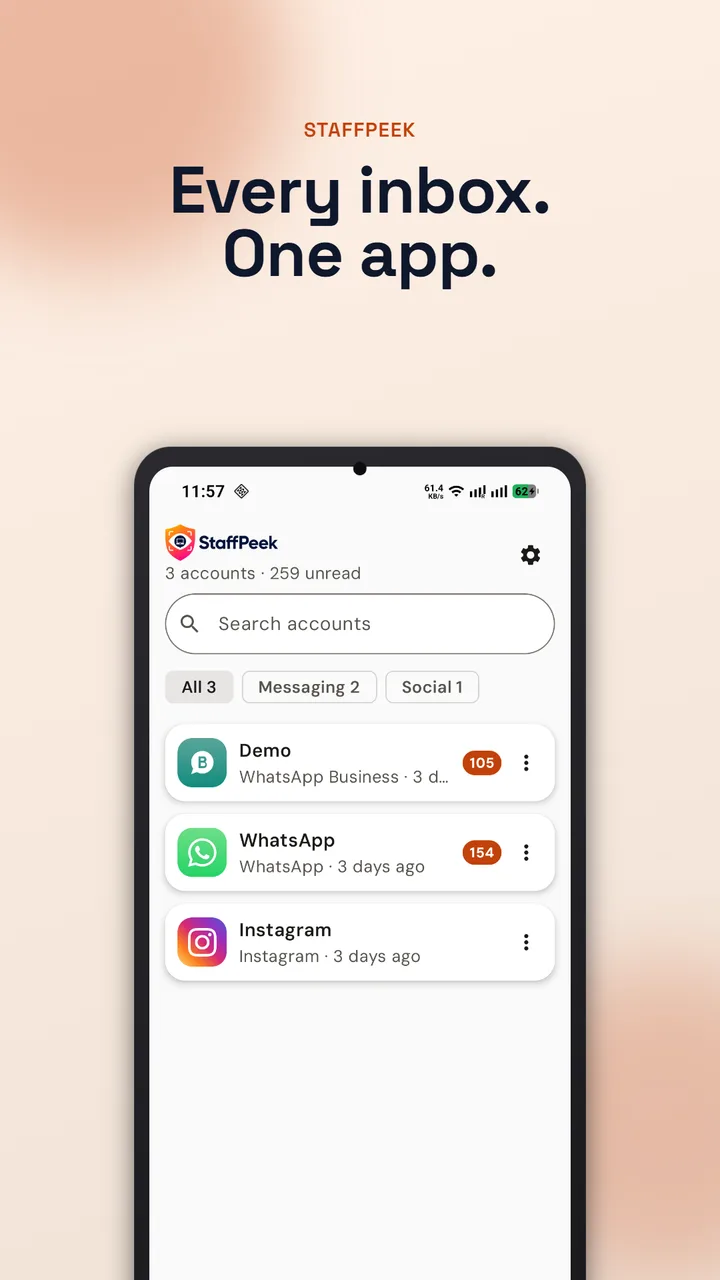
What is the dual Messenger app?
Dual Messenger is a Samsung Galaxy setting that installs a second copy of chosen chat apps, so each copy can use a different account.
StaffPeek reaches the same goal on any Android brand by opening each extra login in its own session instead of copying apps.
- Samsung's feature makes one extra copy per supported app.
- Other brands use names like App Twin, Dual Apps or Parallel Apps.
- StaffPeek works the same way on every brand.
Dual messenger app on any Android: how StaffPeek compares
Many Android brands ship a built-in feature for a second chat login: Samsung calls it Dual Messenger, Xiaomi calls it Dual Apps, and other makers use names such as App Twin or Parallel Apps. These features copy the installed app, usually once, and only for apps the brand supports. StaffPeek works differently and runs on any phone with Android 8.0 or newer. Instead of copying apps, each login gets the service's web version inside a private session, so WhatsApp, WhatsApp Business, Telegram, Messenger and 23 more services can each hold as many logins as you add, up to 200 accounts in total. All logins show in one list with unread badges, which a cloned app cannot give you. The trade-off: each login has the features of the service's web version, not the full app.
Dual messenger app benefits
Works on every brand
Motorola, Oppo, Vivo, Realme or Pixel: the steps are the same.
No app copies
Nothing is cloned, so app updates never break a twin.
Past two logins
Need a third WhatsApp login? Add it exactly the way you added the second.
One list
All logins of all chat apps sit together with unread badges.
Easy to remove
Delete a login row and its session data is gone.
Dual messenger app setup on a non-Samsung phone
Steps for adding a second WhatsApp login. Other chat apps follow the same pattern.
Install StaffPeek
Download StaffPeek from Google Play on your Android phone.
Add the chat app
Tap Add account and choose WhatsApp.
Pick the link method
Point the number's own phone at the QR code, or use the phone-number code if the number is on this phone.
Wait for chats
The chat list loads in a few seconds.
Name the row
Rename the row so you know which number it is, such as Second SIM.
Dual messenger app screenshots
StaffPeek screens on a phone with two chat logins.
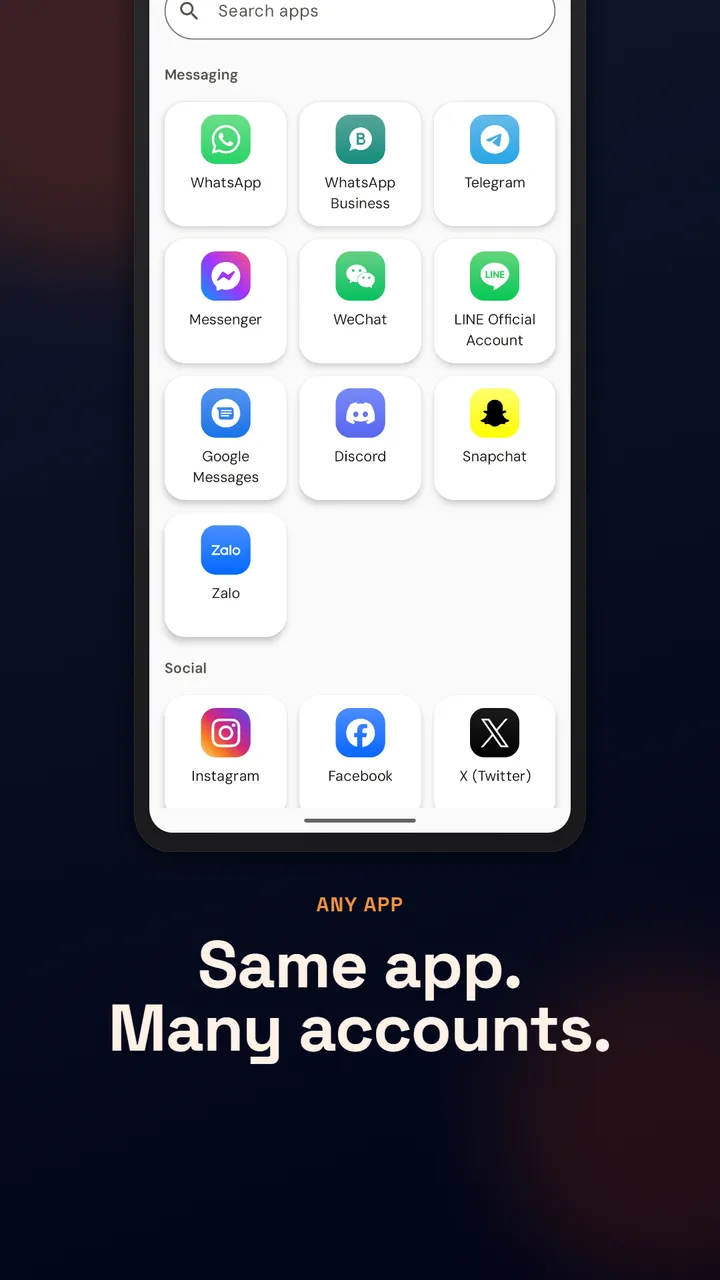
Pick the chat app you want a second login for. 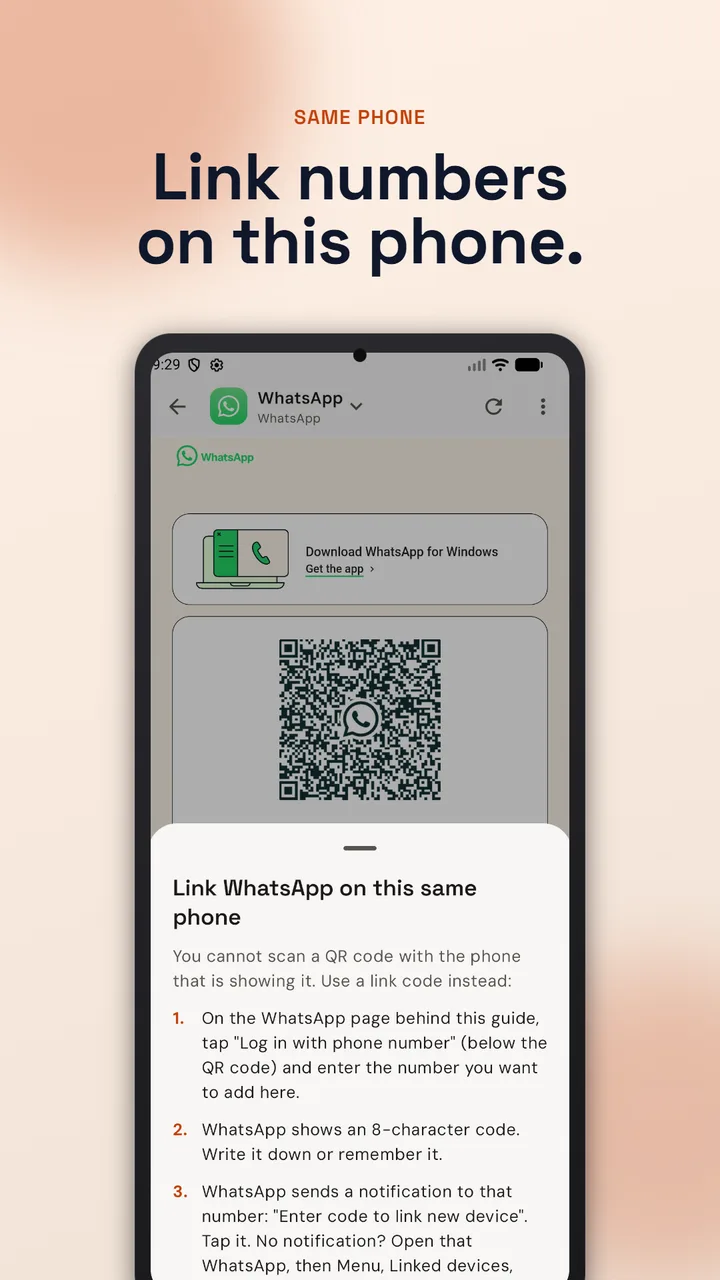
The same-phone guide covers the second SIM case.
Dual messenger app vs phone brand dual app features
Built-in twin features against StaffPeek, on the points that matter.
StaffPeek
- Phone brands
- Any Android 8.0 or later
- Logins per app
- As many as you add
- How it works
- Web version in a separate session
- Feature set
- The service's web version
- Best for
- Many logins, any phone
Samsung Dual Messenger and similar
- Phone brands
- Only that brand's phones
- Logins per app
- Usually one extra
- How it works
- A second installed copy of the app
- Feature set
- The full app
- Best for
- One extra login on a supported phone
Dual messenger app limits
Choose the built-in feature when it already covers you. StaffPeek has these limits.
- Each login runs the service's web version, so features kept for the full app are not there.
- For WhatsApp, StaffPeek is a linked device, so the number keeps living in WhatsApp on its owner phone.
- If your phone's own dual app feature already handles your one extra login, you may not need StaffPeek.
- Only recent logins send alerts in the background, and only when you turn on Keep accounts connected.
Dual messenger app example: a phone without the feature
This is an illustration, not a customer story. Pradeep sells spare parts in Ludhiana and uses a phone that has no dual app setting. His supplier number and his customer number are on two different phones. He installs StaffPeek on his main phone and links the supplier number by QR scan. Now one phone shows both numbers, and the second handset stays in a drawer at the shop.
Dual messenger app price
A second login is included at no cost, since StaffPeek allows 2 accounts before any sign-up. Twin number three is where payment starts: ₹1,500 yearly for Android, taxes separate. The yearly bundle with the desktop app is ₹3,000, taxes separate.
Dual messenger app FAQ
Which dual messenger app works on phones that are not Samsung?
- StaffPeek works on any Android phone from version 8.0 and adds a second login of WhatsApp, Telegram, Messenger and more.
Is StaffPeek a dual messenger app?
- Yes. StaffPeek is a dual messenger app for any Android phone that keeps every extra chat login in its own session.
How much does a dual messenger app cost with StaffPeek?
- One extra login is covered by the 2 accounts that need no payment. Further twins cost ₹1,500 over a year on the phone, or ₹3,000 over a year on phone and computer, before taxes.
Can I have two Messenger apps on my phone?
- On Samsung, Dual Messenger can make a second copy. On any Android phone, add Messenger twice in StaffPeek, one row per login.
Is dual Messenger for WhatsApp safe?
- Built-in brand features and StaffPeek both keep the official service. Avoid modified WhatsApp APKs from outside Google Play.
How to access dual Messenger on Samsung?
- On Galaxy phones, it is under Settings, then Advanced features, then Dual Messenger. Turn it on for the app you want.
Can I have more than two WhatsApp logins with dual messenger?
- Brand features usually allow one extra copy. StaffPeek lets you add more WhatsApp numbers, one row each.
Does StaffPeek clone my apps?
- No. Each twin is a web login in a sealed session, and your installed apps stay untouched.
Will my second login get notifications?
- Yes. Turn on Keep accounts connected in Settings, and use the second login now and then so it counts as recent.
Can I use dual messenger on an iPhone?
- StaffPeek is an Android app. iPhone has no dual messenger setting; check each chat app's own account options.
Read next
- Dual WhatsApp appThe WhatsApp-only guide.
- 3 WhatsApp in one phoneWhen two numbers are not enough.
- Multiple Facebook accountsTwo Facebook logins at once.
StaffPeek is an independent app by WappBlaster. It is not affiliated with, endorsed by or sponsored by WhatsApp LLC, Meta, Telegram, Google or any other service it works with. All product names belong to their owners.