
Multiple Instagram accounts app
Multiple Instagram Accounts App for Android Is StaffPeek, Every Profile Logged In
A multiple Instagram accounts app keeps several Instagram profiles open at the same time, so social media managers stop switching profiles before every reply. StaffPeek runs each profile in a separate session and places it next to your chat and mail inboxes.
- Each profile stays logged in
- DMs one tap apart
- Mix Instagram with WhatsApp and mail
Updated 25 November 2026
What is a multiple Instagram accounts app?
It is an app that keeps several Instagram profiles signed in together. Instagram's own app can add profiles, but shows one at a time.
StaffPeek keeps every profile open in its own session, so two client accounts can be checked without a switch or a re-login.
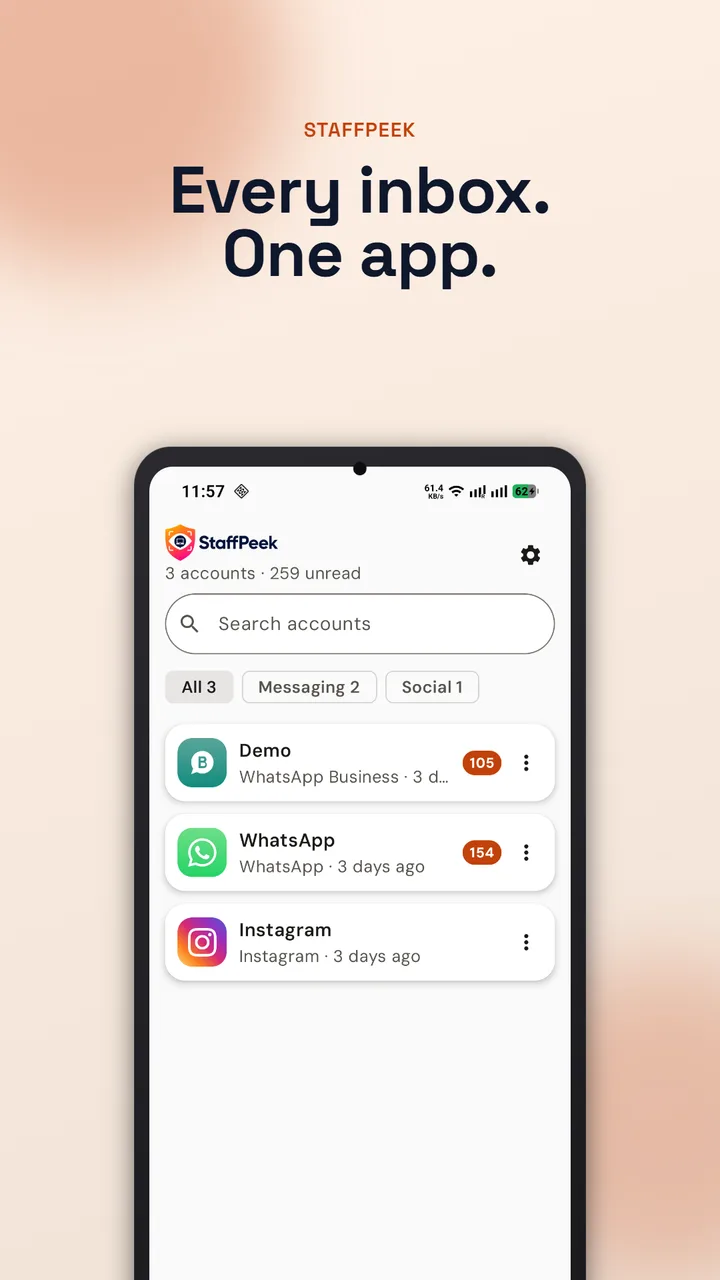
- Each Instagram profile is a separate StaffPeek account.
- Profiles do not share cookies, so they cannot sign each other out.
- Agencies can label profiles by client name.
Multiple Instagram accounts app for Android: StaffPeek for social teams
StaffPeek opens Instagram's web version for each profile you add, starting at the Direct inbox. Every profile runs in its own private session with separate cookies and storage, so a freelancer can keep a personal profile, a shop profile and three client profiles logged in at once. The profiles sit in the same home list as WhatsApp, Messenger and Gmail, each with a label you choose, such as Bakery client or Own brand. The list can be filtered to Social only, and searched by label. Because StaffPeek uses Instagram's own web pages, it does not post on a schedule, show analytics or change how Instagram works; it simply keeps the profiles open. StaffPeek is an independent Android app by WappBlaster and is not linked to Instagram or Meta.
Multiple Instagram accounts app benefits
No profile switching
Every profile stays open, so you move between them like tabs.
Client labels
Name each profile after the client or brand it belongs to.
Social filter
Show only Instagram, Facebook and other social accounts with one chip.
Separate logins
A login problem on one profile never touches the others.
Alongside customer chats
Answer an Instagram DM and the same customer's WhatsApp from one app.
Multiple Instagram accounts app setup: add a client profile
Have the profile's username and password ready, plus access to its two-step code if it is on.
Add Instagram
Tap Add account and pick Instagram from the Social group.
Name the profile
Use the client or brand name, so the list reads clearly.
Sign in
Log in on the Instagram page that opens and finish any security check.
Allow notifications
Allow notifications if Android asks, to hear about new DMs.
Add the next profile
Pick Instagram again for the next client and sign in with that profile.
Multiple Instagram accounts app screenshots
Where Instagram profiles live in StaffPeek.
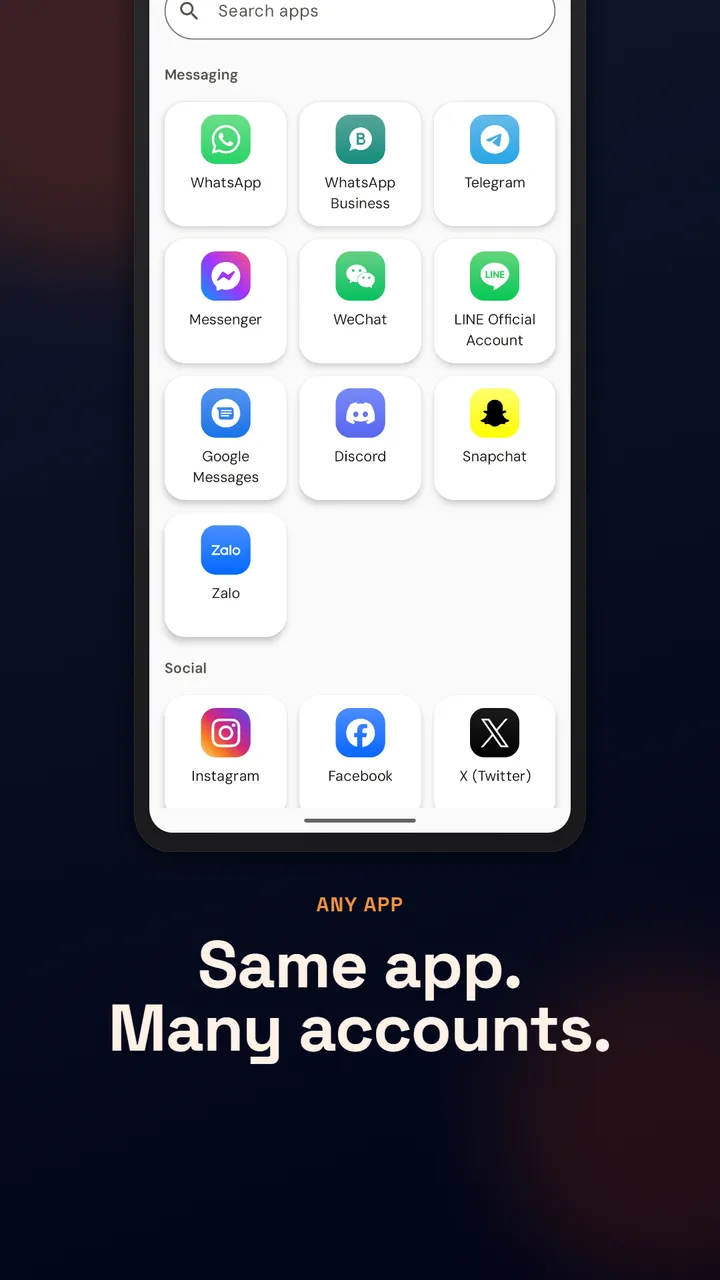
Instagram is in the Social group of the add screen. 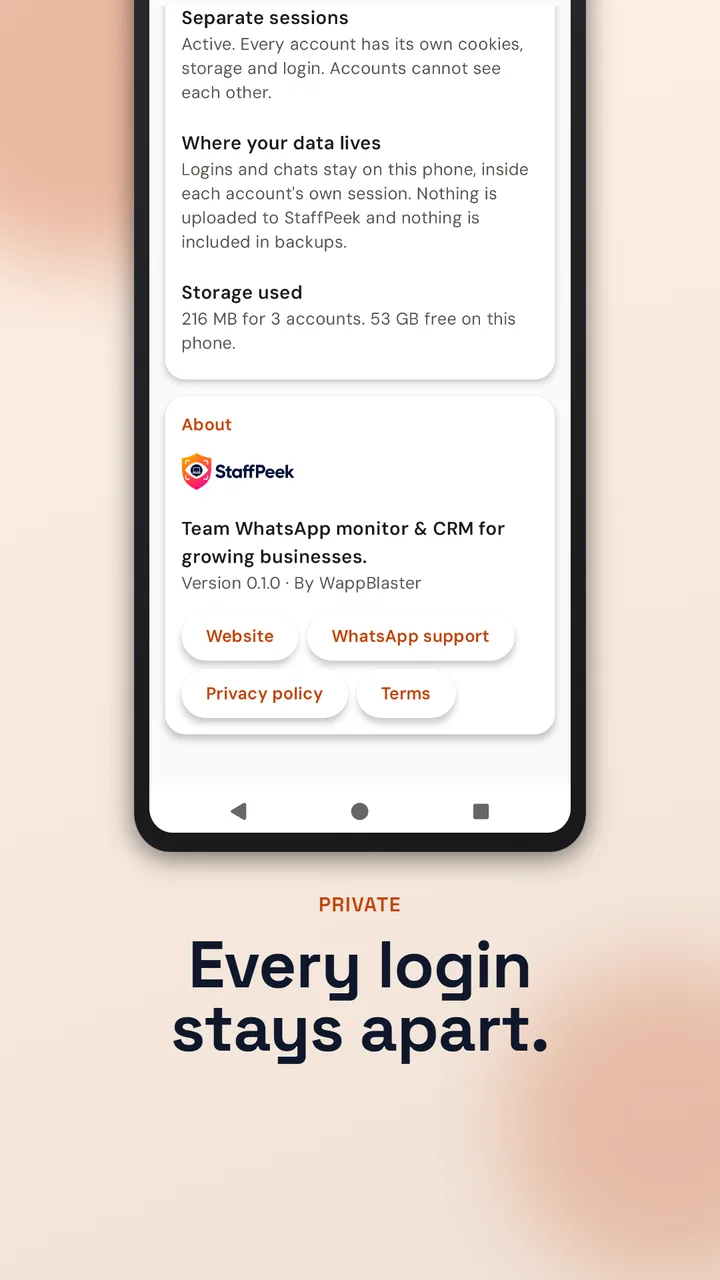
Separate sessions mean profiles never share a login.
Multiple Instagram accounts app vs the Instagram app
How the two handle several profiles.
StaffPeek
- Profiles open at the same time
- All of them
- Profiles per phone
- Up to 200 accounts in total
- Next to WhatsApp and mail
- Yes, one list
- Reels, posting and full camera tools
- Only what Instagram's web version offers
- Best for
- Answering DMs across many profiles
Instagram app account switch
- Profiles open at the same time
- One; others need a switch
- Profiles per phone
- A small fixed number per app
- Next to WhatsApp and mail
- No
- Reels, posting and full camera tools
- Full set
- Best for
- Posting and editing content
Multiple Instagram accounts app limits
StaffPeek is a DM and inbox tool for Instagram, not a full replacement for the app.
- Instagram's web version has fewer creation tools than the app. Use the Instagram app for advanced posting and editing.
- StaffPeek does not schedule posts, show insights or automate replies.
- Instagram may ask for security checks when a profile logs in from a new place; finish them once per profile.
- Follow Instagram's terms for each profile; StaffPeek does not change any account limits Instagram sets.
- Modified Instagram APK files are a security risk. StaffPeek uses Instagram's own site and does not need one.
Multiple Instagram accounts app example: a two-person agency
This is an illustration, not a customer story. Neha and Aman run social media for 6 local brands in Pune. Each brand has an Instagram profile with customer DMs. They add the 6 profiles to StaffPeek on a shared work phone, labelled by brand. Each morning they filter to Social, open each profile with a badge, and answer 30 to 40 DMs before 11 am.
Multiple Instagram accounts app price
StaffPeek opens your first 2 profiles at no charge. An agency running more profiles spends ₹1,500 on Android for a full year, taxes on top. Spending ₹3,000, taxes on top, also brings the Windows and Mac team WhatsApp monitor.
Multiple Instagram accounts app FAQ
Can I have two Instagram accounts on one app?
- Yes. The Instagram app lets you add a few profiles and switch between them, though only the active one is on screen.
Which multiple Instagram accounts app keeps every profile logged in?
- StaffPeek for Android keeps each Instagram profile in its own session, so all of them stay logged in at the same time.
Is StaffPeek a multiple Instagram accounts app?
- Yes. StaffPeek is a multiple Instagram accounts app for Android that also holds WhatsApp, Messenger, Gmail and 23 other services.
What does a multiple Instagram accounts app cost with StaffPeek?
- Profiles one and two cost nothing. Extra profiles mean a ₹1,500 annual Android licence; the ₹3,000 annual licence covers Android and desktop. Taxes apply to both.
Can I be logged into 3 Instagram accounts at once?
- In StaffPeek, yes: each profile is a separate account, so 3 or 30 profiles can stay logged in together.
Can I have two Instagram accounts on the same phone?
- Yes. Use the Instagram app's add account option, or add Instagram twice in StaffPeek to keep both open side by side.
Which Insta APK is best for several accounts?
- Avoid modified Instagram APKs, because they can steal logins. StaffPeek uses Instagram's own web pages and is on Google Play.
Can I install 2 Instagram apps on iPhone?
- StaffPeek has no iPhone version. On iPhone, use the account switch inside the Instagram app.
Can I post photos from StaffPeek?
- You can do what Instagram's web version allows. For reels and advanced editing, the Instagram app is the better tool.
Will Instagram block my profiles for using StaffPeek?
- StaffPeek opens instagram.com like a browser does. Normal use is the same as logging in on a computer; follow Instagram's rules for each profile.
Can I see which profile has unread DMs?
- Profiles with unread messages show a badge and move up the list when the page reports new messages.
Can I separate Instagram accounts that are linked together?
- Inside StaffPeek every profile is a separate login with its own cookies. Linking settings inside Instagram are managed in Instagram's account centre.
Read next
- Multiple Facebook accountsFacebook profiles and pages side by side.
- All in one messengerEvery inbox in one list.
- Multiple accounts appThe full list of supported services.
StaffPeek is an independent app by WappBlaster. It is not affiliated with, endorsed by or sponsored by WhatsApp LLC, Meta, Telegram, Google or any other service it works with. All product names belong to their owners.