
Multiple Snapchat accounts
Multiple Snapchat Accounts on One Android Phone With StaffPeek
Having multiple Snapchat accounts on one phone means two or more Snapchat logins are ready to use on the same device, so creators and small brands stop logging out to reply. StaffPeek keeps each Snapchat login in a separate session on Android, beside your other chat accounts.
- Two logins, no logout
- Brand and personal kept apart
- Snapchat next to Instagram
Updated 25 November 2026
What are multiple Snapchat accounts on one phone?
They are two or more Snapchat logins kept on one device. Snapchat's app is built around one login at a time, so switching usually means logging out.
StaffPeek removes the logout step by keeping each Snapchat login in its own session on the same phone.
- Each account needs its own username and login details.
- StaffPeek uses Snapchat's web version for chats.
- Camera-heavy features stay best in the Snapchat app.
Multiple Snapchat accounts: what StaffPeek does and does not do
Snapchat's app is designed for one login at a time, so people with a personal account and a brand or creator account end up logging out and back in. StaffPeek is an Android app that opens Snapchat's web version for each login in an isolated session. A small cafe owner can keep the cafe's Snapchat and a personal Snapchat signed in together, and see both in a list that also holds the cafe's Instagram and WhatsApp. Snapchat's web version focuses on chats and calls; Lenses, the full camera and Stories creation remain strongest in the Snapchat app, and StaffPeek does not change that. Each login uses 50 to 300 MB of phone storage, shown in StaffPeek's settings.
Multiple Snapchat accounts benefits
No logout dance
Both logins stay signed in, so replies take seconds.
Brand chats kept apart
Customer chats on the brand login never mix with friends.
Beside other socials
Snapchat, Instagram and Facebook logins in one list.
Clear labels
Name rows so you always reply from the right account.
Storage shown
Settings show how much space each login takes.
Multiple Snapchat accounts setup
Snapchat may confirm a new login on your existing device, so keep the Snapchat app handy the first time.
Add Snapchat
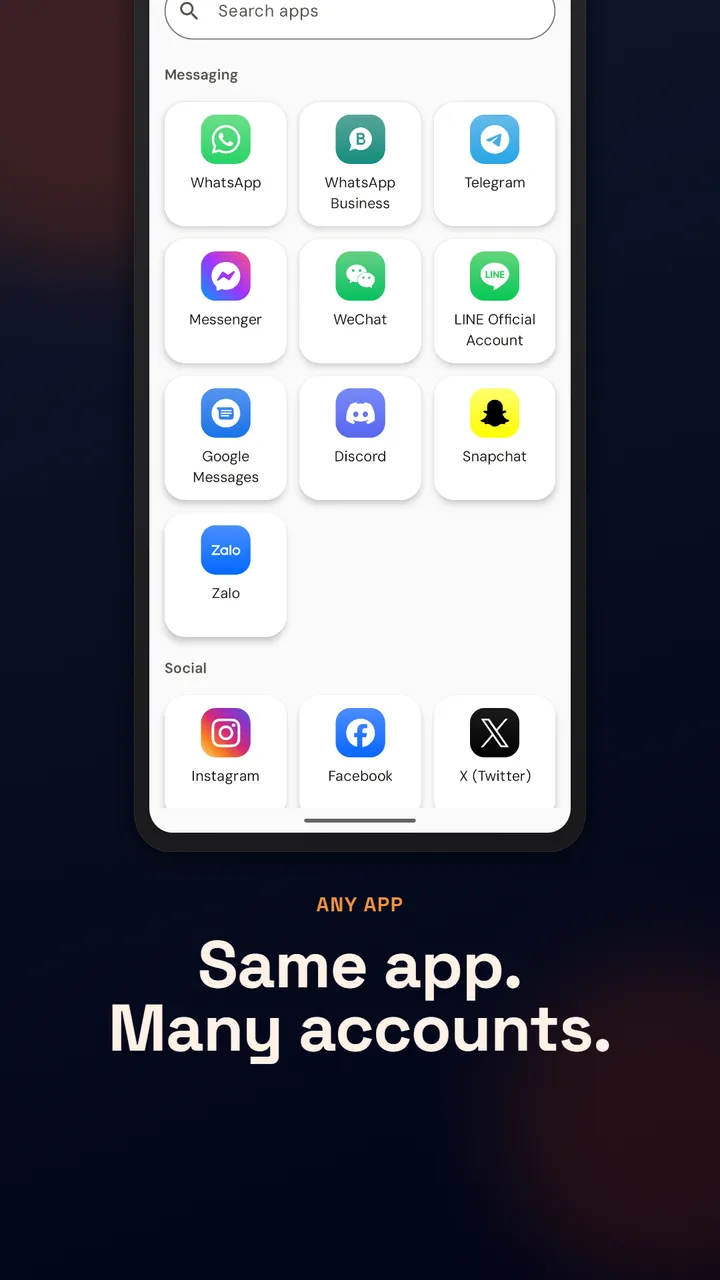
Tap Add account and choose Snapchat from the Messaging group.
Label the row
Type a name such as Cafe or Personal.
Log in
Enter the username and password on Snapchat's page.
Confirm
Approve the login in the Snapchat app if it asks.
Add the second login
Add Snapchat again and sign in with the other account.
Multiple Snapchat accounts screenshots
StaffPeek screens with chat and social accounts added.
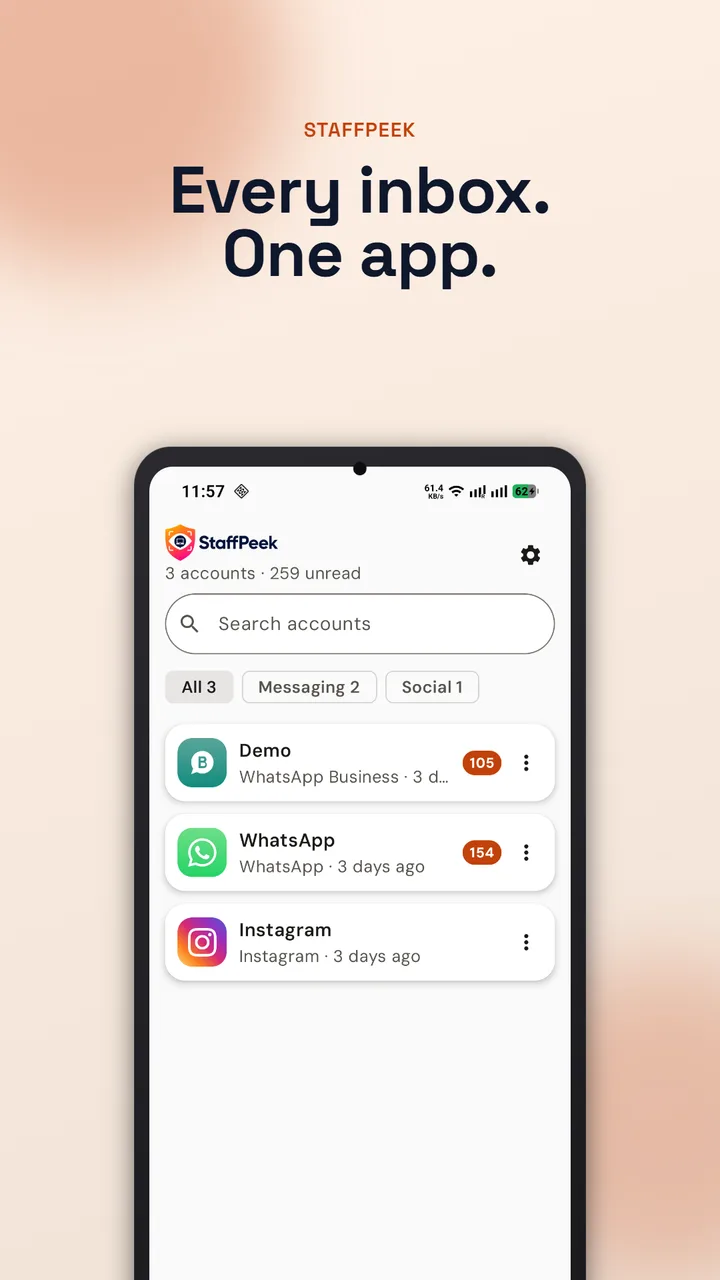
The header totals unread messages across every login. 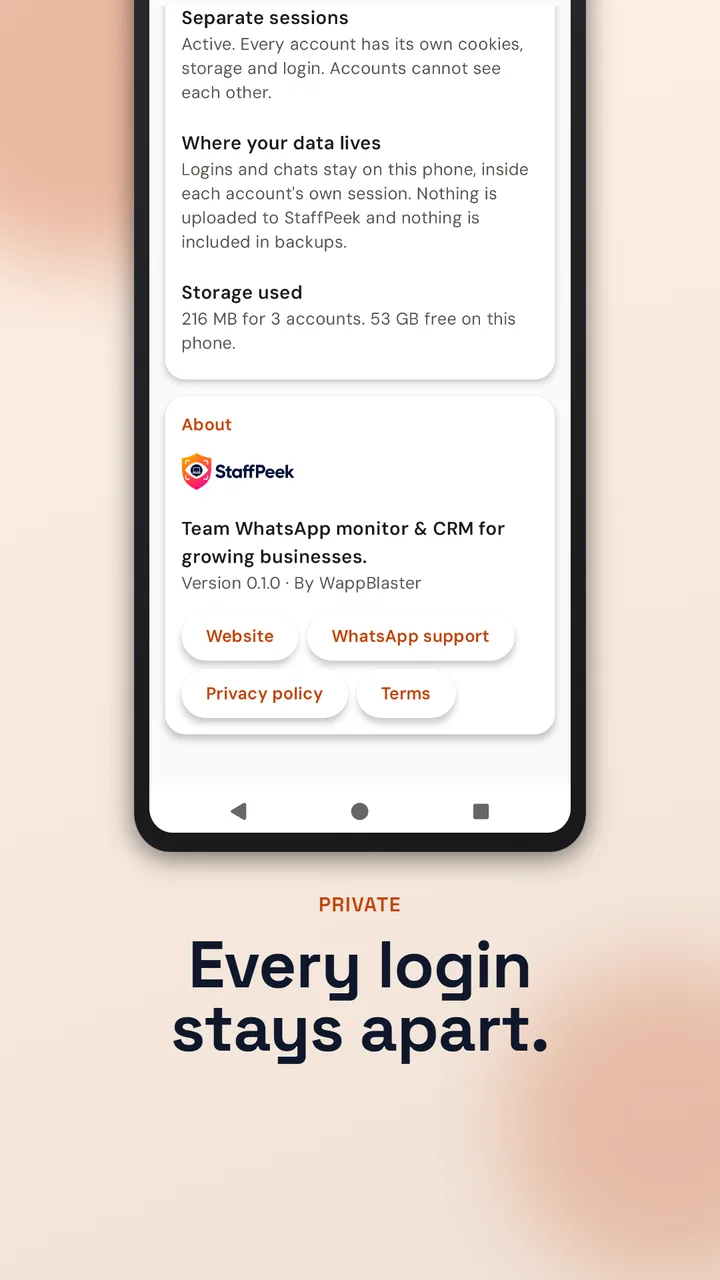
Check how much storage the Snapchat sessions use.
Multiple Snapchat accounts: StaffPeek vs the Snapchat app
Pick by what you do most on each account.
StaffPeek
- Logins ready at once
- Several
- Chats
- Yes, through Snapchat's web version
- Lenses, camera and Stories creation
- Limited
- Next to Instagram and WhatsApp
- Yes
- Best for
- Replying from two accounts
Snapchat app
- Logins ready at once
- One
- Chats
- Yes
- Lenses, camera and Stories creation
- Full
- Next to Instagram and WhatsApp
- No
- Best for
- Creating snaps and Stories
Multiple Snapchat accounts limits
Know these before you rely on StaffPeek for Snapchat.
- Snapchat's web version does not have every app feature; creation tools work best in the app.
- Snapchat may ask to confirm each new login on a device it already trusts.
- Snapchat's community rules apply to every account; StaffPeek does not change them.
- StaffPeek is an Android app; it does not run on iPhone.
Multiple Snapchat accounts example: a cafe owner
This is an illustration, not a customer story. Tanya runs a small cafe in Chandigarh and posts daily specials on the cafe's Snapchat while keeping her own account for friends. Customers message the cafe account to book tables. With both logins in StaffPeek, she answers 8 booking chats during the afternoon lull without logging out of her personal account.
Multiple Snapchat accounts price
Two Snapchat logins sit within StaffPeek's 2 accounts that need no payment. A third Snapchat login or another app turns on billing of ₹1,500 per Android year. The bundle that includes the desktop app is ₹3,000 per year. Taxes are added to both.
Multiple Snapchat accounts FAQ
Which app keeps multiple Snapchat accounts signed in on Android?
- StaffPeek keeps each Snapchat login in its own session, so two or more stay signed in on one Android phone.
Is StaffPeek an app for multiple Snapchat accounts?
- Yes. StaffPeek handles multiple Snapchat accounts on Android and keeps Instagram, WhatsApp and other services in the same list.
How much do multiple Snapchat accounts cost with StaffPeek?
- Creators get two Snapchat logins with no fee. Login three moves them to a ₹1,500 Android year, or a ₹3,000 year that adds desktop, taxes on top.
Can I have two Snapchat accounts with the same phone number?
- Snapchat links a phone number to an account and may limit reuse. Check Snapchat's own help pages before you create a second account.
Can someone see if I have multiple Snapchat accounts?
- StaffPeek does not share anything between your logins. What others can see depends on each account's Snapchat privacy settings.
Can I use Lenses in StaffPeek?
- Lenses and the full camera are app features. Use the Snapchat app for creating snaps and StaffPeek for chats.
Will Snapchat log me out of the app if I use StaffPeek?
- No. StaffPeek is a separate web login. Your Snapchat app login stays as it is.
Do I get Snapchat chat alerts in StaffPeek?
- Yes, for recently used logins, when Keep accounts connected is on in Settings.
Is it safe to log in to Snapchat through StaffPeek?
- You sign in on Snapchat's own web page. StaffPeek stores nothing of your login on its servers and does not read chats.
Can a business use Snapchat in StaffPeek with staff?
- Yes. Put the business login on a shared work phone and label it, so staff reply from the right account.
Read next
- Multiple Instagram accountsBrand and personal Instagram together.
- Multiple Discord accountsModerator and personal logins at once.
- Multiple accounts appAll 27 services in one app.
StaffPeek is an independent app by WappBlaster. It is not affiliated with, endorsed by or sponsored by WhatsApp LLC, Meta, Telegram, Google or any other service it works with. All product names belong to their owners.