
Multiple WhatsApp accounts on PC
Multiple WhatsApp Accounts on PC Is StaffPeek, for Windows and Mac
Running multiple WhatsApp accounts on PC means several WhatsApp numbers stay logged in on one computer at once, so nobody signs out of WhatsApp Web to check another number. StaffPeek is a Windows and Mac app that gives each number its own WhatsApp Web session and lists them down the left side.
- Unlimited accounts on one licensed PC
- One click to switch numbers
- No browser profiles or incognito windows
Updated 26 November 2026
What are multiple WhatsApp accounts on PC?
It means two or more WhatsApp numbers are open on the same computer together, each with its own chats, without logging one out first.
StaffPeek does it with a separate session per number, so an office PC can hold the numbers of a whole team.
- WhatsApp Web in one browser tab holds only one number.
- Each number is added once by scanning its QR code.
- Numbers stay signed in after you close the app.
Multiple WhatsApp accounts on PC: how StaffPeek keeps them apart
A browser can show one WhatsApp Web login per profile, which is why people juggle incognito windows, second browsers and extensions. StaffPeek replaces that with a single program that runs on Windows 10 and 11 and on Macs with macOS 11 or newer. Click the plus button, scan the QR code with the phone that owns the number, and the account joins the sidebar under the name you give it. Every account has private storage, so chats and logins never cross. One licence covers unlimited accounts on that computer; how many stay live at the same moment depends on its memory, and StaffPeek keeps recent accounts ready while resting the others until you open them. In India the yearly licence for one computer costs ₹2,200 before taxes. Chats are read from WhatsApp directly and stay on your own computer.
Multiple WhatsApp accounts on PC benefits
One window
All numbers sit in a single app instead of scattered browser windows.
Named accounts
Label each number, such as Billing or Showroom, and find it by search.
Fast switching
Recent accounts stay loaded, so a click shows the chats at once.
Light on the computer
Idle accounts rest until opened, which saves memory on older PCs.
Work tools on top
Follow-up reminders and lead statuses come with every account.
Multiple WhatsApp accounts on PC setup
You need the phone of each number nearby for the first scan only.
Install the desktop app
Download StaffPeek for Windows or Mac and sign in with your account.
Add an account
Click the plus button above the account list.
Scan from the phone
On the phone, open WhatsApp, then Linked devices, then Link a device, and scan the code.
Give it a name
Type a label so you can tell the numbers apart.
Add the rest
Repeat for every number you want on this PC.
Multiple WhatsApp accounts on PC screenshots
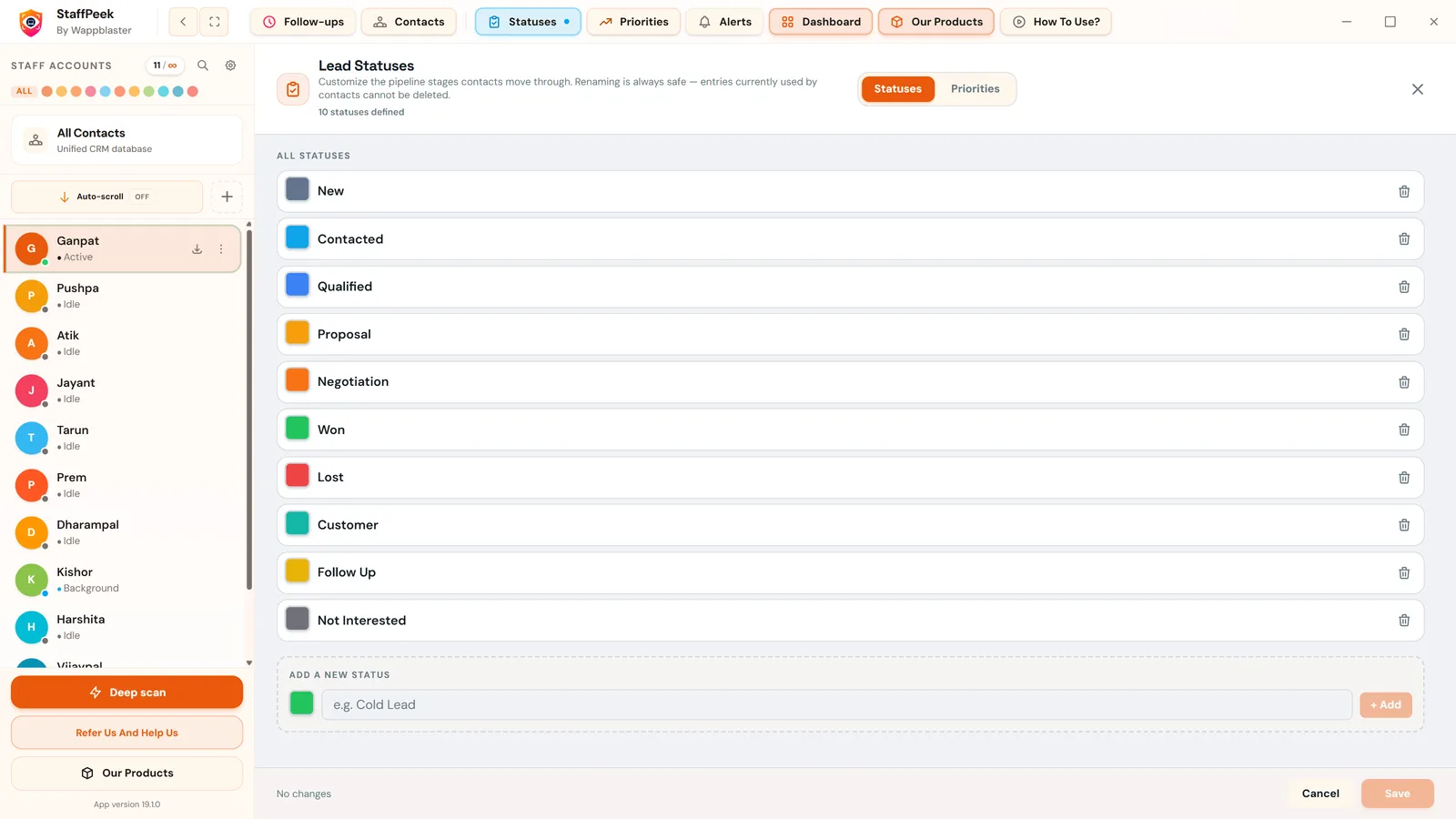
Real screens of the StaffPeek desktop app with eleven accounts added.
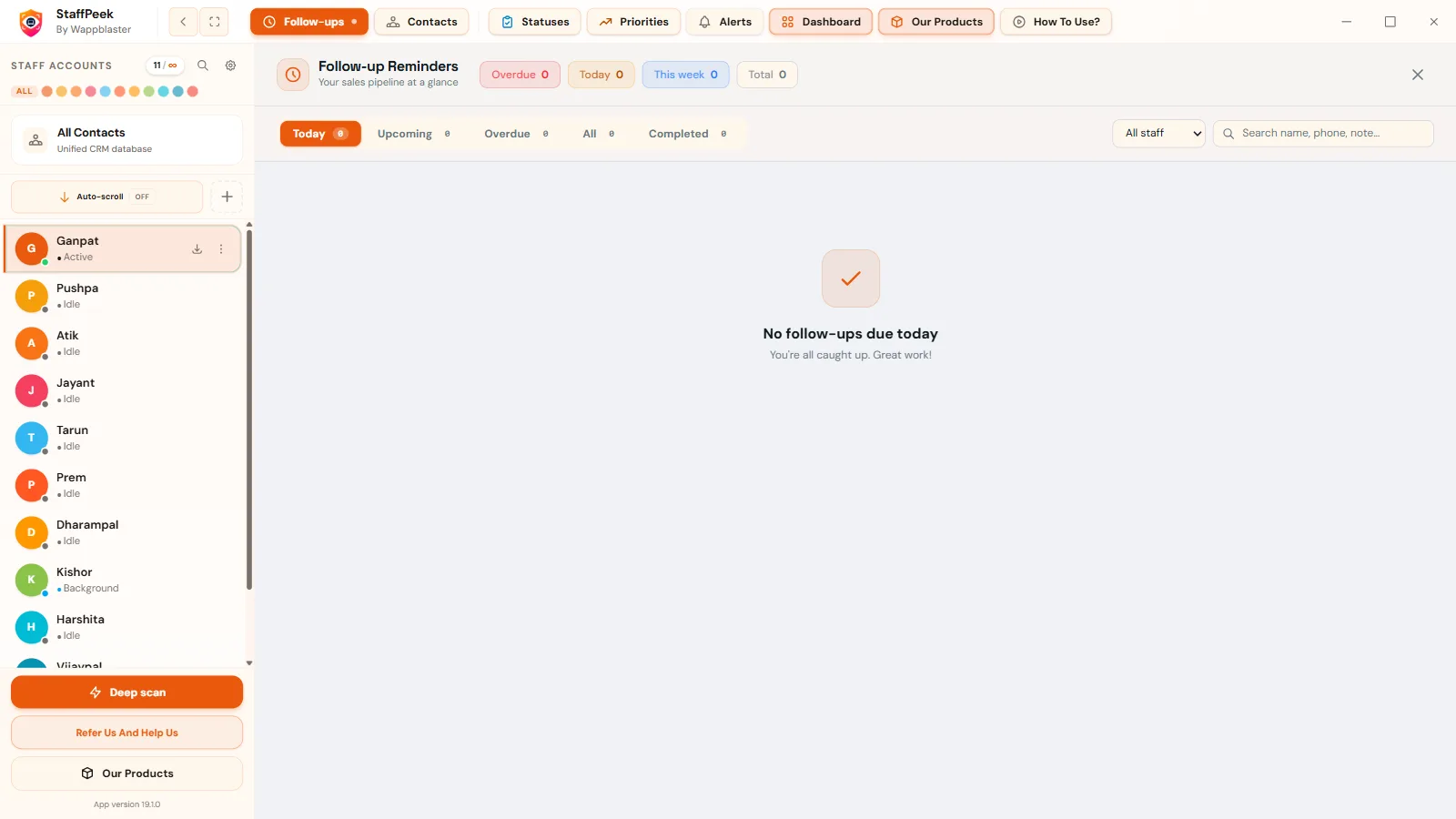
The sidebar shows which account is active, idle or working in the background. 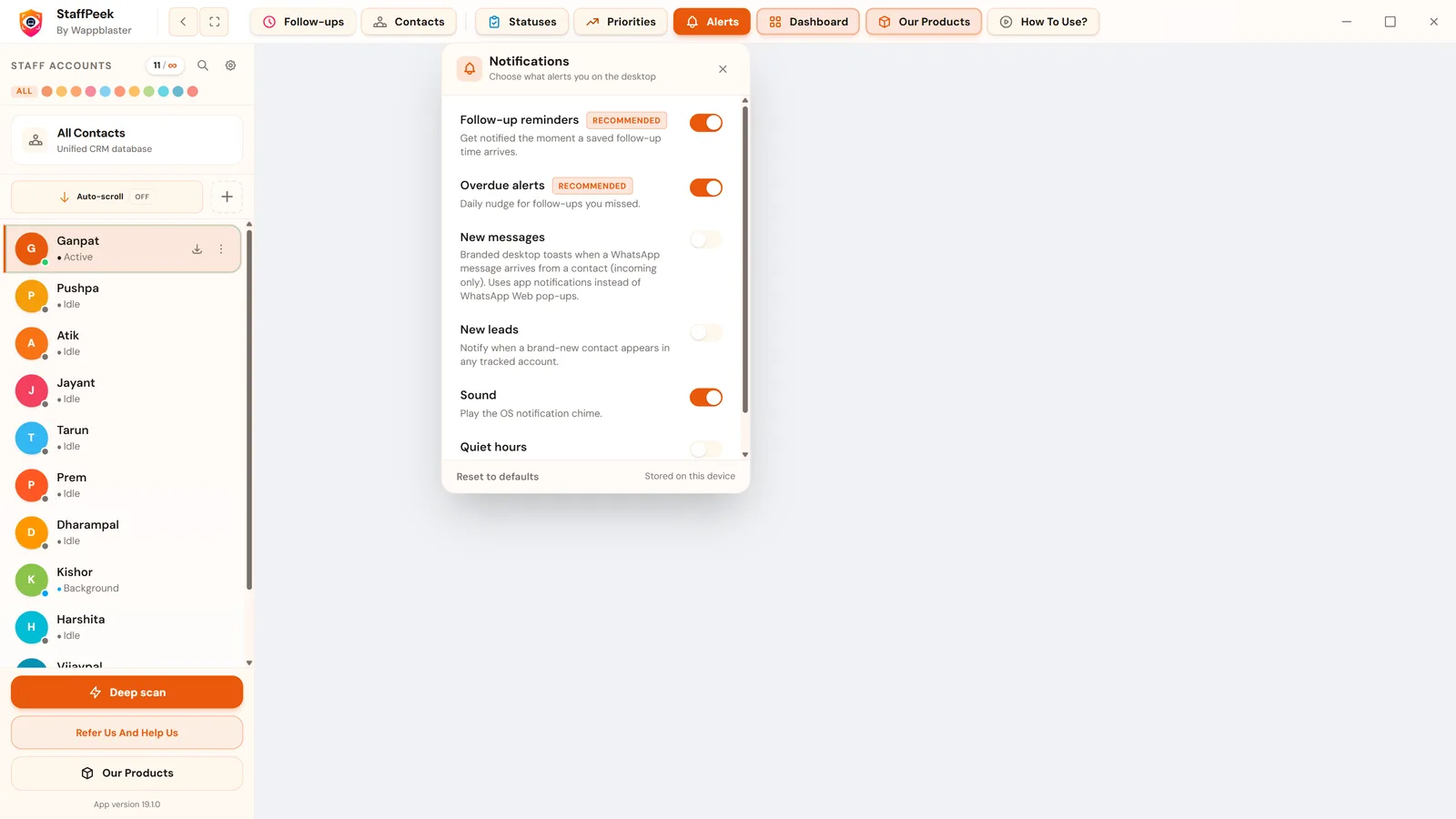
Choose which alerts from all accounts reach you on the desktop.
Multiple WhatsApp accounts on PC: StaffPeek vs browser tricks
Common ways to open more than one WhatsApp number on a computer.
StaffPeek desktop
- Accounts at once
- Unlimited per licensed PC
- Stays logged in
- Yes
- One list of all numbers
- Yes, with names and search
- Follow-ups and lead statuses
- Built in
- Cost
- ₹2,200 + taxes per PC a year
- Best for
- Offices with 5 or more numbers
Browser profiles or incognito
- Accounts at once
- One per profile or window
- Stays logged in
- Incognito logs out when closed
- One list of all numbers
- No, separate windows
- Follow-ups and lead statuses
- No
- Cost
- No charge
- Best for
- Two numbers, now and then
WhatsApp desktop app
- Accounts at once
- A small number, set by WhatsApp
- Stays logged in
- Yes
- One list of all numbers
- Switch between accounts
- Follow-ups and lead statuses
- No
- Cost
- No charge
- Best for
- One person with two numbers
Multiple WhatsApp accounts on PC limits
StaffPeek shows WhatsApp Web, so WhatsApp's linked-device rules apply.
- For two numbers of your own, WhatsApp's desktop app or two browser profiles may be enough.
- Each number allows 4 linked devices in total. StaffPeek uses one of them.
- A number is logged out if its phone has no internet for 14 days.
- A computer with little memory keeps fewer accounts live at once; the rest open on demand.
- StaffPeek does not send bulk messages or schedule broadcasts.
Multiple WhatsApp accounts on PC example: a real estate office
This is an illustration, not a customer story. Picture a property office in Noida with 8 agents, each with a WhatsApp Business number, plus 2 office numbers. The owner installs StaffPeek on the front-desk PC and scans all 10 numbers in half an hour. When a buyer calls about a flat, the receptionist searches the buyer's name, sees the chat on Agent Neha's number and tells the buyer the site visit is booked for Saturday.
Multiple WhatsApp accounts on PC price
StaffPeek desktop is licensed per computer: ₹2,200 + taxes for a year in India and $30 + taxes elsewhere. The number of WhatsApp accounts on that computer does not change the price. Add the Android app and the yearly total is ₹3,200 + taxes.
Multiple WhatsApp accounts on PC FAQ
Which app runs multiple WhatsApp accounts on PC without browser tricks?
- StaffPeek does. It is a Windows and Mac app that opens every WhatsApp number in its own session and lists them in one sidebar.
What is StaffPeek for PC users?
- StaffPeek is an app for multiple WhatsApp accounts on PC, with follow-up reminders and lead statuses added to each account.
How much does it cost to run multiple WhatsApp accounts on PC with StaffPeek?
- A single computer licence costs ₹2,200 a year for Indian buyers and $30 for buyers elsewhere, taxes extra. It covers unlimited accounts on that computer.
Does WhatsApp desktop support multiple accounts?
- WhatsApp's own apps let you add a small number of accounts and switch between them. For many numbers on one PC, use an app with a session per number.
Can I add two accounts in WhatsApp Web?
- Not in one browser tab. You need a second browser profile, or an app such as StaffPeek that opens each number separately.
How many WhatsApp Web logins are allowed?
- Four linked devices per number is WhatsApp's ceiling. A PC running StaffPeek takes one of those four for every number you add.
How do I add a 3rd account in WhatsApp on my computer?
- In StaffPeek, click the plus button, scan the third number's QR code from its phone and name the account.
Is there a dual WhatsApp for PC download for Windows 11?
- StaffPeek for Windows runs on Windows 10 and Windows 11 with one installer, and holds two or many WhatsApp numbers.
Will my chats be stored on StaffPeek servers?
- No. The desktop app reads chats from WhatsApp and keeps contact data on your own computer.
Can I use the same accounts on two PCs?
- Yes, when each PC has its own licence and the number still has room under Linked devices. Scan once on each PC.
Does StaffPeek slow down an old computer?
- It keeps your recent accounts loaded and rests the others, so memory use stays lower than opening every number in a browser.
Read next
- Multiple WhatsApp scan softwareScanning numbers into a phone or a PC.
- WhatsApp Business multiple usersOne business number, several people.
- Desktop guideArticles on multi-account setups.
StaffPeek is an independent app by WappBlaster. It is not affiliated with, endorsed by or sponsored by WhatsApp LLC, Meta, Telegram, Google or any other service it works with. All product names belong to their owners.