
WhatsApp Business multiple users
WhatsApp Business Multiple Users: Owner and Staff on One Number With StaffPeek
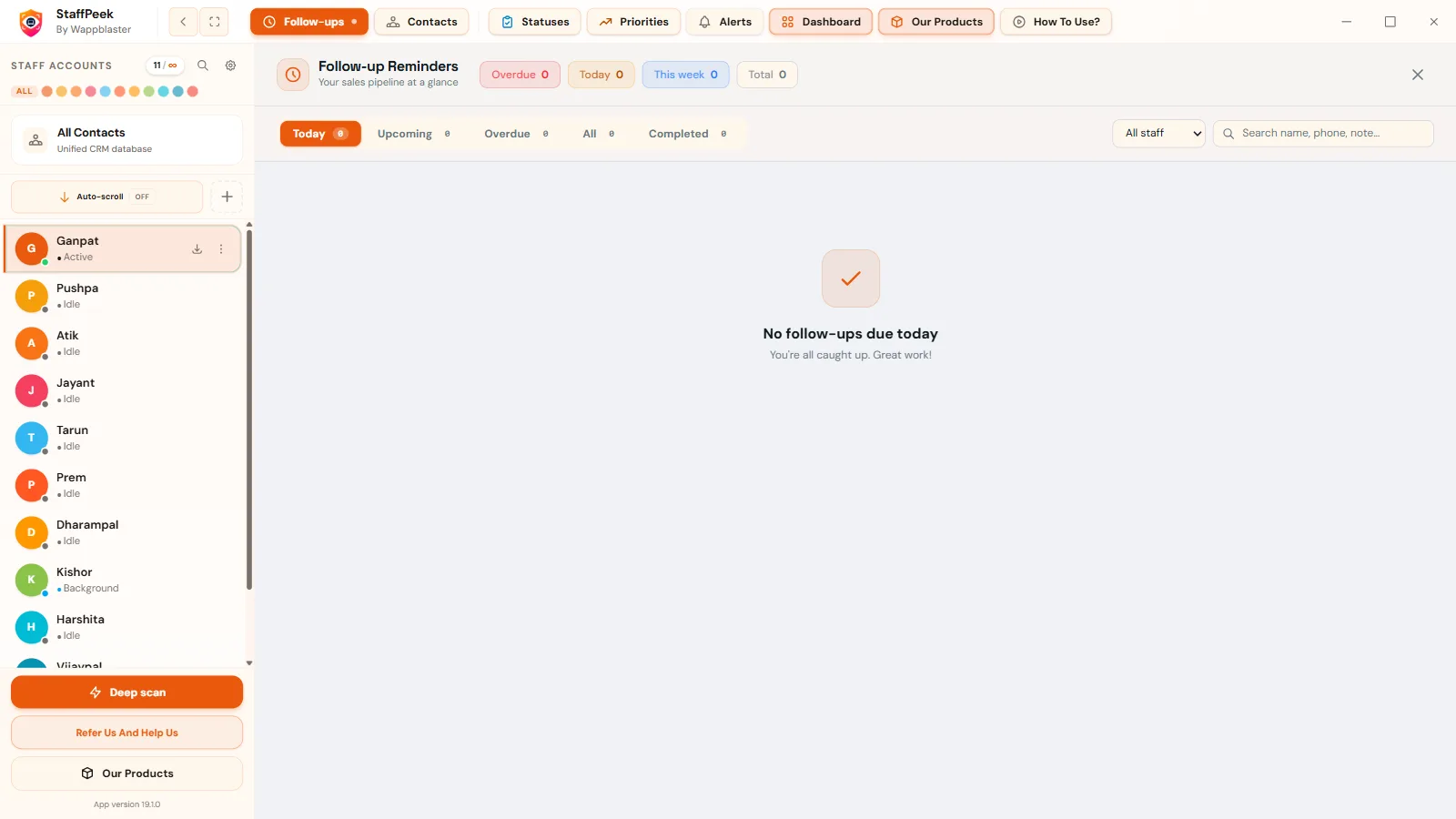
WhatsApp Business multiple users is a setup where more than one person reads and answers the same business number, so customers are not left waiting for one phone. StaffPeek adds the owner's or manager's computer as one of those users, and can do it for every business number the company has.
- Uses WhatsApp's 4 linked devices
- Owner view of every business number
- No WhatsApp Business API needed
Updated 26 November 2026
What is WhatsApp Business multiple users?
It is one WhatsApp Business number used by several people at once, through the app's linked devices or through the paid Business API.
StaffPeek takes one linked-device slot per number and gives a manager a single screen for all of the company's numbers.
- The WhatsApp Business app allows one phone plus up to 4 linked devices.
- Everyone sees the same chat history for that number.
- The API route adds agents and automation, at a per-conversation cost.
WhatsApp Business multiple users: where StaffPeek fits
There are two ways to put several people on a WhatsApp Business number. The app route is linked devices: the number lives on one phone, and up to 4 more devices can join by scanning a QR code. The platform route is the WhatsApp Business API, sold through providers, which removes the device limit and adds chat assignment, with fees per conversation. StaffPeek works on the app route. A manager installs it on a Windows or Mac computer and scans each business number once. That computer then counts as one linked device for every number scanned, so the staff phone, a staff laptop and the manager's StaffPeek can all answer the same customers. Replies sent from any device appear on the others. Small teams keep the normal app and its zero messaging cost.
WhatsApp Business multiple users benefits
Faster replies
When one person is busy, another user of the number can answer.
Owner oversight
The owner reads the same chats that staff handle, in real time.
No messaging fees
Linked devices cost nothing per message, unlike API conversations.
All numbers, one manager
A manager with StaffPeek holds a slot on each business number.
History stays shared
Each user sees what the others already told the customer.
WhatsApp Business multiple users setup with StaffPeek
Check first that fewer than 4 devices are linked to the number, because 4 is the maximum.
Open the business phone
On the phone that owns the number, open WhatsApp Business and go to Linked devices.
Check the slots
Count the devices already linked. Remove an unused one if all 4 are taken.
Start in StaffPeek
On the manager's computer, add a new account in StaffPeek to show a QR code.
Link
Tap Link a device on the phone and scan the QR code on the computer.
Agree on who answers
Tell the team which user replies to which kind of chat, to avoid double answers.
WhatsApp Business multiple users screenshots
What the manager sees in StaffPeek once business numbers are linked.
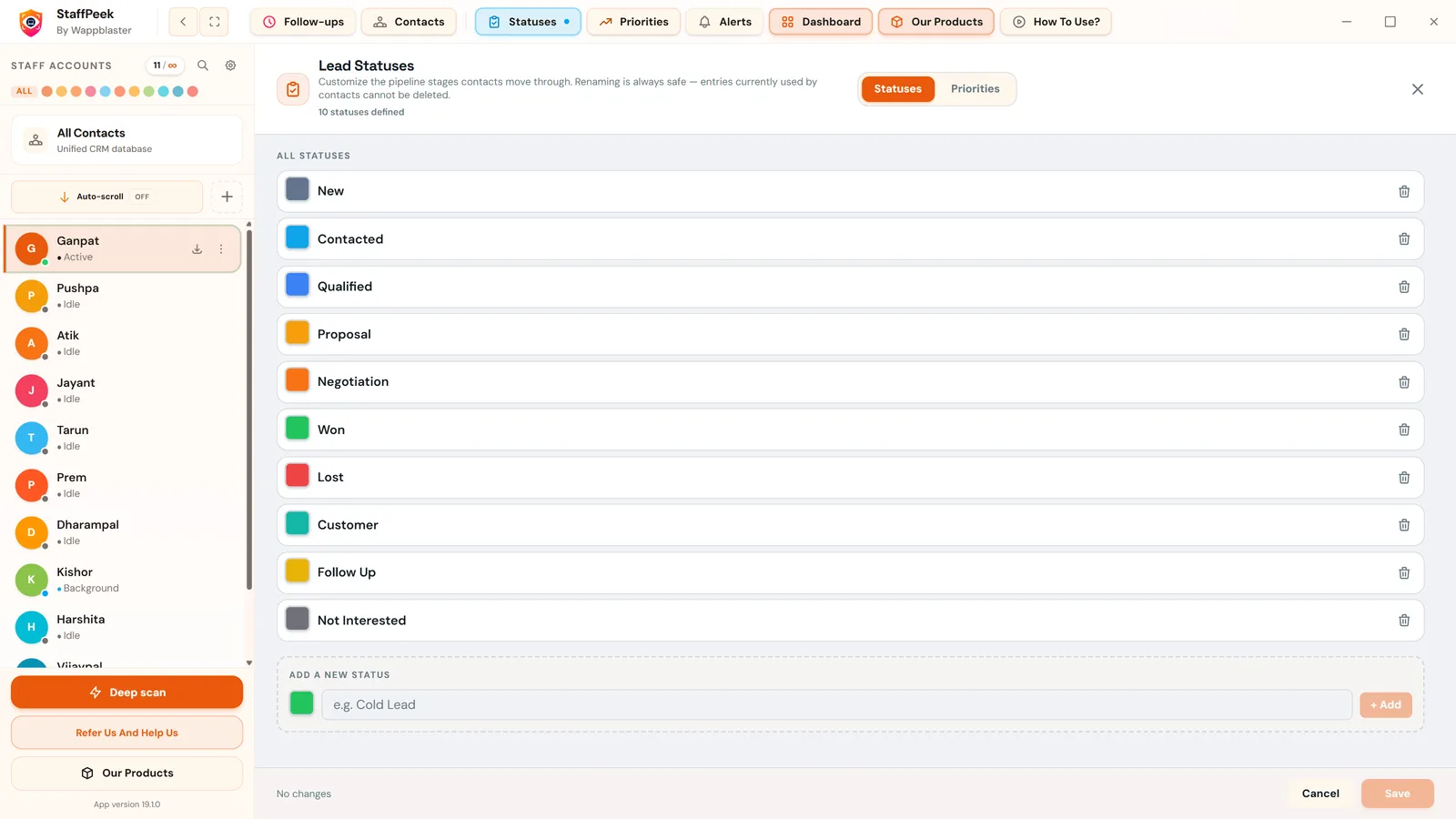
The manager sets one set of lead stages for every number. 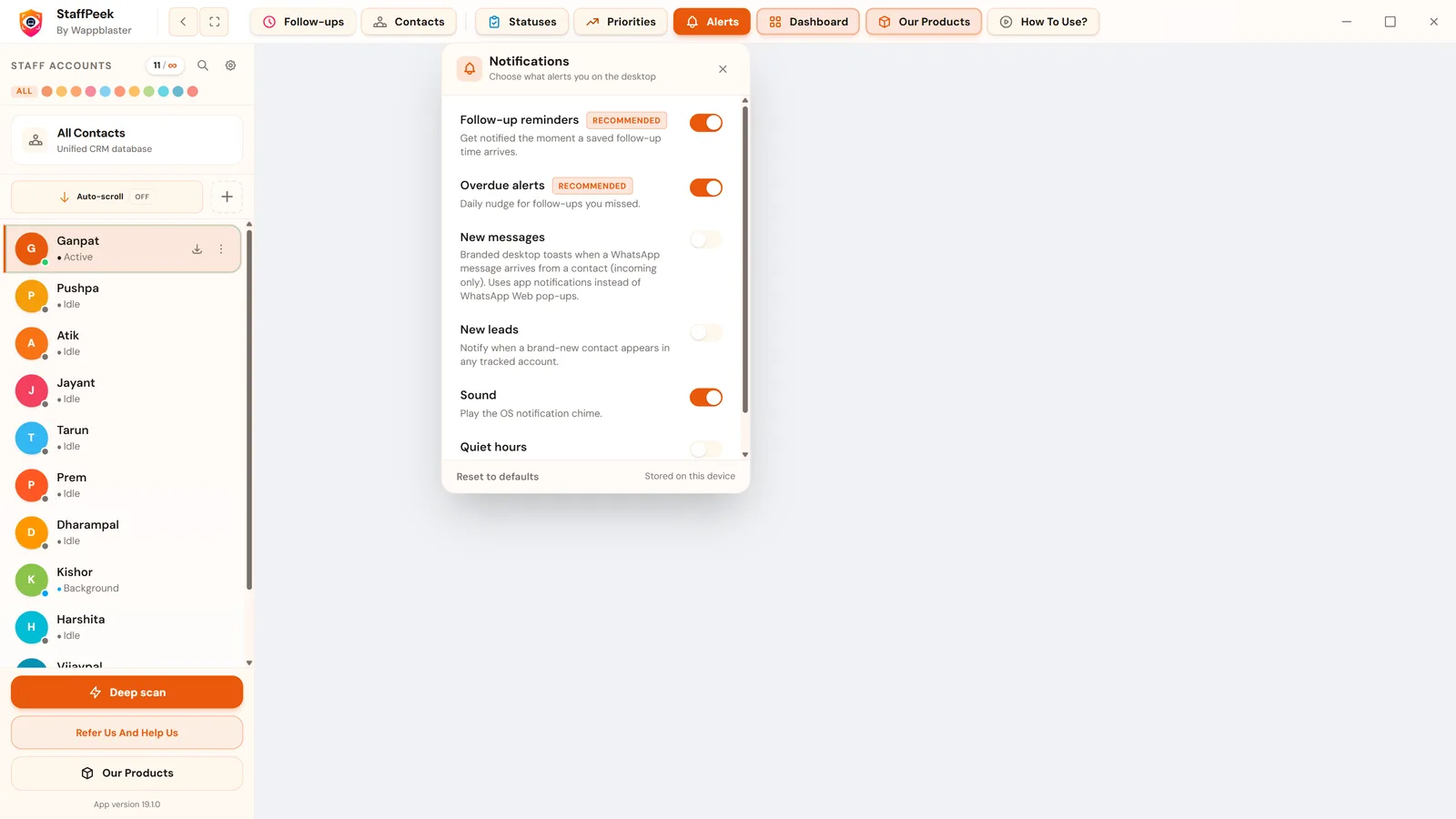
Alerts tell the manager about new leads on any linked number.
WhatsApp Business multiple users: linked devices vs API
The two official routes, and where StaffPeek sits.
WhatsApp Business app + StaffPeek
- Users per number
- 1 phone + 4 linked devices
- Manager view of all numbers
- Yes, in one desktop app
- Chat assignment between agents
- No
- Message cost
- None
- Setup
- Scan a QR code
- Best for
- Teams of 2 to 5 per number with a manager
WhatsApp Business app alone
- Users per number
- 1 phone + 4 linked devices
- Manager view of all numbers
- No
- Chat assignment between agents
- No
- Message cost
- None
- Setup
- Scan a QR code
- Best for
- Very small teams
WhatsApp Business API
- Users per number
- Many agents
- Manager view of all numbers
- Depends on the provider
- Chat assignment between agents
- Yes
- Message cost
- Per-conversation fees
- Setup
- Provider signup and approval
- Best for
- Large support desks
WhatsApp Business multiple users limits
Linked devices are simple, and they have clear ceilings.
- A number cannot have more than 4 linked devices. A sixth person needs the API route.
- StaffPeek does not assign chats or show who is typing a reply, so agree on rules inside the team.
- If the business phone is offline for 14 days, every linked device is signed out.
- Some tools in the Business app, such as catalog editing, are easier on the phone itself.
- Tell staff that the manager's computer is linked. It also shows in their Linked devices list.
WhatsApp Business multiple users example: a dental clinic
This is an illustration, not a customer story. Take a dental clinic in Surat that runs one WhatsApp Business number on the reception phone. The receptionist and a second desk use it from that phone and a laptop. The clinic owner links the same number to StaffPeek at home. On Sunday she sees 9 appointment requests waiting, confirms 3 urgent ones herself, and the reception finds the replies already in the chat on Monday.
WhatsApp Business multiple users price
WhatsApp charges nothing for linked devices. StaffPeek on the manager's computer costs ₹2,200 + taxes a year for that PC in India, or $30 + taxes outside India, however many business numbers it links. With the Android app included it is ₹3,200 + taxes a year.
WhatsApp Business multiple users FAQ
Which app handles WhatsApp Business multiple users for a manager?
- StaffPeek does. It links the manager's computer to each business number, and the manager works through them from a single sidebar.
What does StaffPeek add to a WhatsApp Business number?
- StaffPeek makes the manager one of the WhatsApp Business multiple users. The manager also gets reminder dates and pipeline stages on those chats.
How much does WhatsApp Business multiple users cost with StaffPeek?
- The manager's StaffPeek seat is a yearly computer licence: ₹2,200 for India or $30 for other countries, before taxes. WhatsApp itself does not charge for linked devices.
How to have multiple people on WhatsApp Business?
- Link each person's device from the business phone under Linked devices. Up to 4 devices can join one number.
Can more than one person have access to a WhatsApp Business account?
- Yes. The phone that owns the number plus up to 4 linked devices can read and answer chats at the same time.
Can I use 1 WhatsApp Business on 2 phones?
- Yes. Link the second phone as a companion device from the first phone, or link it through an app such as StaffPeek for Android.
How to link more than 4 devices on WhatsApp Business?
- The app stops at 4. More users need the WhatsApp Business API through a provider, which has per-conversation fees.
What are the disadvantages of a WhatsApp Business account with several users?
- The app has no chat assignment, so two people may answer the same customer. A simple team rule solves most of that.
Will customers know that several people answer?
- No. Every reply comes from the same business number and name.
Can staff see that the computer of the owner is linked?
- Yes. The StaffPeek computer appears in the Linked devices list on the business phone.
Does the manager need to be in the office?
- No. A linked computer works anywhere with internet, as long as the business phone has been online in the last 14 days.
Read next
- Multiple WhatsApp Business accountsSeveral business numbers on one phone.
- Chat monitoring for sales teamsReview staff replies and follow-ups.
- StaffPeek vs the APIWhen the API route is the better fit.
StaffPeek is an independent app by WappBlaster. It is not affiliated with, endorsed by or sponsored by WhatsApp LLC, Meta, Telegram, Google or any other service it works with. All product names belong to their owners.